Haiku 5.5
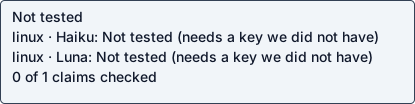
Native agent · Needs credentials · full use untestedOperation / attempted scope limited checks
Agent-reported scope: Run the sap-mcp-server MCP server and call a tool against an SAP ABAP ADT system (read/write via policy-guarded tools)
Run details
- run
- Maherd18--sap-mcp-server-claude-haiku-5-5-1792804375526902605
- date
- Oct 23, 2026
- time to working
- not recorded
- product hosting / execution
- Not recorded
- recorded operation scope
- limited checks
- model
- claude-haiku-5-5
- agent / version
- claude-code / 2.1.300 (Claude Code)
- platform
- linux
- reported cost
- $0.019002
- Recorded source
- https://github.com/Maherd18/sap-mcp-server
- Backend
- hyperv
- Tool transport
- mcp-assigned-vm
- Requested source pin (not an observed revision)
- {"commit": "0407f64b850c20e8efb960a791e252c980767e47", "url": "https://github.com/Maherd18/sap-mcp-server"}
- Test version
- readme-bdc1b9b3c0d2673aef87e076d14084a8123ddcf09d520c1ee2e364a37c3f4bb9
- revision
- 0407f64b850c20e8efb960a791e252c980767e47
Prerequisite: full use remains untested. This is not a repo defect.
No SAP system (ADT endpoint and credentials) is available in this VM, so no tool can return a successful result.
Step: npm run check (Host reachable) and any tools/call that needs SAP
No SAP system (ADT endpoint and credentials) is available in this VM, so no tool can return a successful result.
Safety: No problems traced to this repository code in these checks.
No problems traced to this repository code in these checks.
OSV scanned supported lockfiles; unpinned dependencies and unsupported formats are outside this check.
A short run cannot establish that code is safe.
Connections show IP addresses; proxies can hide the final hostname.
Tracing covers dispatched commands and their children, not the whole OS; guest root can interfere with tracing.
Install / setup / connection checks
[
  {
    "status": "PASS",
    "details": {
      "working": false,
      "argv": [
        "node",
        "src/server.mjs"
      ],
      "kind": "mcp",
      "serverInfo": {
        "name": "sap-mcp-server",
        "version": "0.3.1"
      },
      "tools": [
        "sap_test_connection",
        "sap_search_objects",
        "sap_read_metadata",
        "sap_read_source",
        "sap_list_transports",
        "sap_write_source",
        "sap_activate",
        "sap_release_transport"
      ],
      "tool_schema_bytes": 2233,
      "tool_result_checked": false,
      "scope": "partial: start"
    },
    "check": "start",
    "optional": false
  }
]
Answers recorded for this run
- The server has no tool to create objects: Observed offline: tools/call sap_create_object returned 'Denied (unknown_tool)' with isError=true. The checker does not count isError results as confirmation, and every other tool result needs a live SAP system (no SAP host available in this VM).
Source: There is intentionally no tool to delete or create objects.
Observed: Observed offline: tools/call sap_create_object returned 'Denied (unknown_tool)' with isError=true. The checker does not count isError results as confirmation, and every other tool result needs a live SAP system (no SAP host available in this VM).
- A tool that is not listed does not exist: Observed offline: tools/call sap_delete_object returned 'Denied (unknown_tool)' with isError=true. Checker does not count isError results as confirmation; no live SAP system available to produce a non-error result.
Source: A tool that isn't listed doesn't exist.
Observed: Observed offline: tools/call sap_delete_object returned 'Denied (unknown_tool)' with isError=true. Checker does not count isError results as confirmation; no live SAP system available to produce a non-error result.
Examples
- Offline unit and integration tests run without a SAP system: command completed successfully
Source: README.md Development section
Input: npm test
Expected: all tests pass
Command: npm test
Observed: k inside the sandbox ok 24 - writes source with lock and unlock inside the sandbox --- duration_ms: 8.677288 type: 'test' ... # Subtest: activation is never executed, it returns an approval request ok 25 - activation is never executed, it returns an approval request --- duration_ms: 3.804982 type: 'test' ... # Subtest: the ADT client refuses paths outside /sap/bc/adt ok 26 - the ADT client refuses paths outside /sap/bc/adt --- duration_ms: 0.568927 type: 'test' ... 1..26 # tests 26 # suites 0 # pass 26 # fail 0 # cancelled 0 # skipped 0 # todo 0 # duration_ms 687.234626
- Connection check against a real SAP system: No SAP system is reachable from this VM (no host, no credentials). Ran npm run check with SAP_HOST=127.0.0.1 SAP_PORT=9; it reported 'FAIL 127.0.0.1:9 is not reachable' and exited 1. Not a product defect: the check does what it should.
Source: README.md Quick start / From source: npm run check
Expected: documented command completes successfully
Observed: No SAP system is reachable from this VM (no host, no credentials). Ran npm run check with SAP_HOST=127.0.0.1 SAP_PORT=9; it reported 'FAIL 127.0.0.1:9 is not reachable' and exited 1. Not a product defect: the check does what it should.
Local or hosted: local
Suggested next step (agent-reported): Re-run in an environment with a reachable SAP development/sandbox system: set SAP_HOST, SAP_PORT, SAP_CLIENT, SAP_USER, SAP_PASSWORD (via .env or env vars), run npm run check, then probe a read tool such as sap_test_connection or sap_search_objects and replay the claims against a real result.
What the agent did
Run the sap-mcp-server MCP server and call a tool against an SAP ABAP ADT system (read/write via policy-guarded tools)
cd <guest-path> && pwd && ls -la && id -u && cat /etc/os-release | head -3 && python3 --version && git status 2>&1 | head -2
cd <guest-path> && cat README.md 2>/dev/null || find . -maxdepth 2 -iname 'readme*' | head
cd <guest-path> && (git init -q 2>&1; git remote add origin https://github.com/Maherd18/sap-mcp-server.git 2>&1; timeout 120 git fetch --depth 1 origin 0407f64b850c20e8efb960a791e252c980767e47 2>&1; git reset --mixed FETCH_HEAD 2>&1); git log --oneline -1 2>&1; which node npm; node --version 2>&1; npm --version 2>&1; cat package.json
sudo -n true 2>&1 && (curl -fsSL https://deb.nodesource.com/setup_22.x -o /tmp/ns.sh && sudo -n bash /tmp/ns.sh >/tmp/ns.log 2>&1 && sudo -n apt-get install -y nodejs >>/tmp/ns.log 2>&1; echo rc=$?; tail -5 /tmp/ns.log); node --version; npm --version
cd <guest-path> && npm test 2>&1 | tail -25; echo rc=${PIPESTATUS[0]}; ls src test scripts config examples; cat .env.example
cd <guest-path> && cat src/tools.mjs | head -150; echo ----; cat src/server.mjs | head -80; echo ----; cat config/policy.json; echo ----; cat src/config.mjs | head -60
cd <guest-path> && mkdir -p <guest-path> && export SAP_HOST=127.0.0.1 SAP_PORT=9 SAP_PROTOCOL=http SAP_CLIENT=100 SAP_USER=DEVUSER SAP_PASSWORD=unused-test SAP_MCP_AUDIT_FILE=<guest-path> && printf '%s\n' '{"jsonrpc":"2.0","id":1,"method":"initialize","params":{"protocolVersion":"2025-06-18","capabilities":{},"clientInfo":{"name":"t","version":"0"}}}' '{"jsonrpc":"2.0","method":"notifications/initialized"}' '{"jsonrpc":"2.0","id":2,"method":"tools/list"}' '{"jsonrpc":"2.0","id":3,"method":"tools/call","params":{"name":"sap_write_source","arguments":{"object_name":"ZCL_DEMO","source":"CLASS zcl_demo DEFINITION PUBLIC.\nENDCLASS."}}}' | timeout 60 node src/server.mjs 2><guest-path> | cut -c1-600; echo rc=$?; cat <guest-path> | head; echo ---; cat <guest-path> | cut -c1-500
cd <guest-path> && sed -n 80,200p src/server.mjs
cd <guest-path> && export SAP_HOST=127.0.0.1 SAP_PORT=9 SAP_PROTOCOL=http SAP_CLIENT=100 SAP_USER=DEVUSER SAP_PASSWORD=unused-test SAP_MCP_AUDIT_FILE=<guest-path>; timeout 60 npm run check 2>&1 | grep -v 'npm notice' | head -30; echo rc=${PIPESTATUS[0]}; echo ---; grep -rnE 'setInterval|cron|schedule|--once|--now|webhook|setTimeout' src scripts | head; echo ---; cat <guest-path> 2>/dev/null | head -3
cd <guest-path> && rm -f <guest-path> <guest-path> && mkdir -p .coldpass && cat > .coldpass/probe.json <<'EOF'
{"kind":"mcp","argv":["node","src/server.mjs"],"cwd":"<guest-path>","tool":"sap_create_object","arguments":{"object_name":"ZCL_NEW_DEMO"},"expected_text":"Denied (unknown_tool): tool \"sap_create_object\" does not exist.","env":{"SAP_HOST":"127.0.0.1","SAP_PORT":"9","SAP_PROTOCOL":"http","SAP_CLIENT":"100","SAP_USER":"DEVUSER","SAP_PASSWORD":"unused-test","SAP_MCP_AUDIT_FILE":"<guest-path>"}}
EOF
cat > .coldpass/claims.json <<'EOF'
[
{"kind":"claim","claim":"The server has no tool to create objects","source":"There is intentionally no tool to delete or create objects.","input":"sap_create_object","expected":"Denied as unknown_tool","probe_kind":"mcp","argv":["node","src/server.mjs"],"tool":"sap_create_object","arguments":{"object_name":"ZCL_NEW_DEMO"},"expected_text":"Denied (unknown_tool): tool \"sap_create_object\" does not exist.","cwd":"<guest-path>","env":{"SAP_HOST":"127.0.0.1","SAP_PORT":"9","SAP_PROTOCOL":"http","SAP_CLIENT":"100","SAP_USER":"DEVUSER","SAP_PASSWORD":"unused-test","SAP_MCP_AUDIT_FILE":"<guest-path>"}},
{"kind":"claim","claim":"A tool that is not listed does not exist","source":"A tool that isn't listed doesn't exist.","input":"sap_delete_object","expected":"Denied as unknown_tool","probe_kind":"mcp","argv":["node","src/server.mjs"],"tool":"sap_delete_object","arguments":{"object_name":"ZCL_OLD_DEMO"},"expected_text":"Denied (unknown_tool): tool \"sap_delete_object\" does not exist.","cwd":"<guest-path>","env":{"SAP_HOST":"127.0.0.1","SAP_PORT":"9","SAP_PROTOCOL":"http","SAP_CLIENT":"100","SAP_USER":"DEVUSER","SAP_PASSWORD":"unused-test","SAP_MCP_AUDIT_FILE":"<guest-path>"}}
]
EOF
cat > .coldpass/examples.json <<'EOF'
[
{"kind":"example","claim":"Offline unit and integration tests run without a SAP system","source":"README.md Development section","input":"npm test","expected":"all tests pass","argv":["npm","test"],"cwd":"<guest-path>","env":{},"expected_text":"# pass 26"},
{"kind":"example","claim":"Connection check against a real SAP system","source":"README.md Quick start / From source: npm run check","reason":"No SAP system is reachable from this VM (no host, no credentials). Ran npm run check with SAP_HOST=127.0.0.1 SAP_PORT=9; it reported 'FAIL 127.0.0.1:9 is not reachable' and exited 1. Not a product defect: the check does what it should."}
]
EOF
python3 -I -c 'import json;[json.load(open(f".coldpass/{n}.json")) for n in ["probe","claims","examples"]];print("json ok")'; ls -la .coldpass
cd <guest-path> && cat > .coldpass/cycles.json <<'EOF'
{"detected":false,"reason":"Inspected package.json scripts, src/*.mjs, scripts/*.mjs, README.md. The server is a stdio MCP process that answers requests as they arrive; it has no cron, scheduler, loop, --once/--now flag, or webhook (grep for setInterval/cron/schedule/webhook found only a fetch timeout and a socket timeout). Runs only when an MCP client calls it.","checks":[]}
EOF
python3 -I -c 'import json;json.load(open(".coldpass/cycles.json"));print("ok")'; ls <guest-path> /inputs/ 2>&1; <env-var>=<guest-path> python3 -I <guest-path> --validate --replay 2>&1 | tail -60; echo rc=${PIPESTATUS[0]}
grep -n "isError\|did not confirm" <guest-path> | head -20
cd <guest-path> && cat > .coldpass/probe.json <<'EOF'
{"checks":[{"check":"start","kind":"mcp","argv":["node","src/server.mjs"],"cwd":"<guest-path>","env":{"SAP_HOST":"127.0.0.1","SAP_PORT":"9","SAP_PROTOCOL":"http","SAP_CLIENT":"100","SAP_USER":"DEVUSER","SAP_PASSWORD":"unused-test","SAP_MCP_AUDIT_FILE":"<guest-path>"}}]}
EOF
cat > .coldpass/claims.json <<'EOF'
[
{"kind":"claim","claim":"The server has no tool to create objects","source":"There is intentionally no tool to delete or create objects.","testable":false,"reason":"Observed offline: tools/call sap_create_object returned 'Denied (unknown_tool)' with isError=true. The checker does not count isError results as confirmation, and every other tool result needs a live SAP system (no SAP host available in this VM)."},
{"kind":"claim","claim":"A tool that is not listed does not exist","source":"A tool that isn't listed doesn't exist.","testable":false,"reason":"Observed offline: tools/call sap_delete_object returned 'Denied (unknown_tool)' with isError=true. Checker does not count isError results as confirmation; no live SAP system available to produce a non-error result."}
]
EOF
<env-var>=<guest-path> python3 -I <guest-path> --validate --replay 2>&1 | tail -c 2500; echo; echo rc=${PIPESTATUS[0]}
cd <guest-path> && <env-var>=<guest-path> python3 -I <guest-path> --validate --replay > <guest-path> 2>&1; echo rc=$?; python3 -I -c 'import json;d=json.load(open("<guest-path>"));print("valid=",d.get("valid"));print("problems=",d.get("problems"))' ; ls <guest-path>
cd <guest-path> && mkdir -p .coldpass && cat > .coldpass/report.json <<'EOF'
{"outcome":"blocked","fault_owner":"prerequisite","operation":"Run the sap-mcp-server MCP server and call a tool against an SAP ABAT ADT system (read/write via policy-guarded tools)","operation_scope":"Needs a reachable SAP system with ADT services active (/sap/bc/adt), a development user and password. Offline, only the test suite and the policy-denial path can run. Node.js 22+ required (README engines). No SAP host or credentials were available in this VM.","steps":["git init; git remote add origin https://github.com/Maherd18/sap-mcp-server.git; git fetch --depth 1 origin 0407f64b850c20e8efb960a791e252c980767e47; git reset --mixed FETCH_HEAD (pinned commit 0407f64, Release 0.3.1)","sudo apt install Node.js 22 via NodeSource setup_22.x (node v22.23.4, npm 10.9.9)","npm test  (README Development section): 26 of 26 pass, rc 0","npm run check  (README Quick start 'From source'): with SAP_HOST=127.0.0.1 SAP_PORT=9, fails at 'Host reachable' with rc 1 (no SAP system here)","node src/server.mjs (README 'From source' / npx entry), MCP stdio: initialize + tools/list OK; tools/call sap_create_object returns 'Denied (unknown_tool)' (isError=true)"],"deviations":["Node.js was not installed in the guest; installed Node 22 from NodeSource (curl setup_22.x script with sudo, apt-get install nodejs). Succeeded.","The README's .env flow (curl .env.example, fill in values) was not possible: no SAP credentials. Used environment variables with placeholder values <email>:9 for the local-only paths.","The checker rejects isError results as confirmation. Product denials are flagged isError=true, so the only offline tool result (unknown_tool denial) cannot be replayed as a confirmed claim. Probe and claims were recorded as partial evidence (start check) and claims marked testable:false with reason.","Did not run npm run setup:sandbox or any read/write tool; both need SAP."],"stuck_step":"npm run check (Host reachable) and any tools/call that needs SAP","main_blocker":"No SAP system (ADT endpoint and credentials) is available in this VM, so no tool can return a successful result.","plain_failure":"The server installs and its offline tests pass, but it could not be shown working end to end. Every useful action (reading, searching, writing SAP objects) needs a live SAP development system, and none was available here. The only thing observed is that the server refuses to create or delete objects.","suggested_fix":"Re-run in an environment with a reachable SAP development/sandbox system: set SAP_HOST, SAP_PORT, SAP_CLIENT, SAP_USER, SAP_PASSWORD (via .env or env vars), run npm run check, then probe a read tool such as sap_test_connection or sap_search_objects and replay the claims against a real result."}
EOF
python3 -I -c 'import json;d=json.load(open(".coldpass/report.json"));print(d["outcome"], d["fault_owner"])'; <env-var>=<guest-path> python3 -I <guest-path> --validate --replay ><guest-path> 2>&1; echo rc=$?; python3 -I -c 'import json;d=json.load(open("<guest-path>"));print("valid=",d.get("valid"),d.get("problems"))'
cd <guest-path> && sed -i 's/ABAT/ABAP/' .coldpass/report.json && python3 -I -c 'import json;print(json.load(open(".coldpass/report.json"))["operation"])' && <env-var>=<guest-path> python3 -I <guest-path> --validate --replay ><guest-path> 2>&1; echo rc=$?; python3 -I -c 'import json;d=json.load(open("<guest-path>"));print("valid=",d.get("valid"),d.get("problems"))'; ls .coldpass
run JSON · checker evidence · agent report + check · transcript excerpt unavailable · error excerpt unavailable