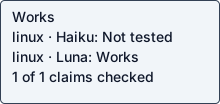
Haiku 5.5
Native agent · Not testedOperation / attempted scope <guest-path> scripts/validate-skills.py
Agent-reported scope: Install the ScrapeCreators social-media research skills via the README's npx installer, validate the skill files, and run a live ScrapeCreators API lookup
Run details
- run
- ScrapeCreators--social-media-research-skills-claude-haiku-5-5-1792790854251499173
- date
- Oct 23, 2026
- time to working
- not recorded
- product hosting / execution
- Local command in the guest
- recorded operation scope
- product operation
- model
- claude-haiku-5-5
- agent / version
- claude-code / 2.1.300 (Claude Code)
- platform
- linux
- reported cost
- $0.016642
- Recorded source
- https://github.com/ScrapeCreators/social-media-research-skills
- Backend
- hyperv
- Tool transport
- mcp-assigned-vm
- Requested source pin (not an observed revision)
- {"commit": "64ba7b4dea71e130d2712ffb6c1c1024b3b7c4b2", "url": "https://github.com/ScrapeCreators/social-media-research-skills"}
- Test version
- readme-bdc1b9b3c0d2673aef87e076d14084a8123ddcf09d520c1ee2e364a37c3f4bb9
- revision
- 64ba7b4dea71e130d2712ffb6c1c1024b3b7c4b2
No ScrapeCreators API key in this guest. The documented API call returns 401 Invalid API key without one.
Step: export SCRAPECREATORS_API_KEY=sk_... (README ## Setup), needed for every live data lookup
No ScrapeCreators API key in this guest. The documented API call returns 401 Invalid API key without one.
Safety: No problems traced to this repository code in these checks.
No problems traced to this repository code in these checks.
OSV scanned supported lockfiles; unpinned dependencies and unsupported formats are outside this check.
A short run cannot establish that code is safe.
Connections show IP addresses; proxies can hide the final hostname.
Tracing covers dispatched commands and their children, not the whole OS; guest root can interfere with tracing.
Answers recorded for this run
- The README install command lists the skills in the repository: Real input produced the expected result: content-repurposing
Source: npx skills add ScrapeCreators/social-media-research-skills
Input: npx skills add ScrapeCreators/social-media-research-skills --list
Expected: lists the content-repurposing skill
Command: npx --yes skills add ScrapeCreators/social-media-research-skills --list
Observed: content-repurposing │ │ Use when the user wants to turn public social videos, transcripts, posts, or creator research into reusable content assets such as LinkedIn posts, X threads, short-form scripts, newsletters, blog outlines, carousels, or content calendars. │ │ creator-profile-teardown │ │ Use when the user wants to analyze a creator, influencer, founder, or brand social account and understand positioning, content pillars, outlier posts, hooks, format choices, audience reaction, and what can be copied or tested. │ │ influencer-prospecting │ │ Use when the user wants t
- promise: Live social data calls need a ScrapeCreators API key (SCRAPECREATORS_API_KEY); none was available in this guest. The documented call returns HTTP 401 Invalid API key without one (see examples.json).
Source: Get a key at [scrapecreators.com](https://scrapecreators.com).
Observed: Live social data calls need a ScrapeCreators API key (SCRAPECREATORS_API_KEY); none was available in this guest. The documented call returns HTTP 401 Invalid API key without one (see examples.json).
Examples
- Repository validation of all skill SKILL.md files: command completed successfully
Source: AGENTS.md ## Validation
Input: python3 scripts/validate-skills.py (venv python with PyYAML)
Expected: Validated 13 skills
Command: <guest-path> scripts/validate-skills.py
Observed: Validated 13 skills
- Documented ScrapeCreators API call without a key is rejected: command completed successfully
Source: skills/scrapecreators-api/SKILL.md
Input: GET /v1/tiktok/profile?handle=charlidamelio with empty x-api-key
Expected: Invalid API key message (no credential available)
Command: curl -s 'https://api.scrapecreators.com/v1/tiktok/profile?handle=charlidamelio' -H 'x-api-key: '
Observed: {"success":false,"message":"Invalid API key"}
Local or hosted: local
Suggested next step (agent-reported): Provide SCRAPECREATORS_API_KEY in the guest, then run one documented lookup such as GET https://api.scrapecreators.com/v1/tiktok/profile?handle=charlidamelio to confirm live results. Also, the README should state that Node 22.20+ is required for the npx installer, since Ubuntu's default Node 18 fails.
What the agent did
Install the ScrapeCreators social-media research skills via the README's npx installer, validate the skill files, and run a live ScrapeCreators API lookup
cd <guest-path> && pwd && ls -la && git status 2>&1 | head -3; id -u; python3 --version; cat README.md 2>/dev/null | head -200
cd <guest-path> && cat AGENTS.md CLAUDE.md; echo ---; ls -la .coldpass scripts .claude-plugin skills; echo ---; for f in scripts/*; do echo "== $f"; head -60 "$f"; done; echo ---; ls skills/*/
cd <guest-path> && git --version && git init -q 2>&1; git remote add origin https://github.com/ScrapeCreators/social-media-research-skills 2>&1; timeout 120 git fetch --depth 1 origin 64ba7b4dea71e130d2712ffb6c1c1024b3b7c4b2 2>&1 | tail -5; echo "rc=$?"; git reset --mixed FETCH_HEAD 2>&1 | tail -3; git log --oneline -1 2>&1; git status --short 2>&1 | head -20; echo ---; node -v 2>&1; npm -v 2>&1; which npx uv 2>&1
cd <guest-path> && git status --short | wc -l; git log --oneline -1; sudo -n true && echo SUDO_OK; (python3 -m venv <guest-path> && <guest-path> install -q pyyaml 2>&1 | tail -3); <guest-path> -c "import yaml;print('yaml', yaml.__version__)"; <guest-path> scripts/validate-skills.py; echo rc=$?
cd <guest-path> && sudo -n apt-get update -qq 2>&1 | tail -2; sudo -n DEBIAN_FRONTEND=noninteractive apt-get install -y -qq python3.12-venv 2>&1 | tail -2; rm -rf <guest-path> && python3 -m venv <guest-path> && <guest-path> install -q pyyaml 2>&1 | tail -3; <guest-path> -c "import yaml;print('yaml', yaml.__version__)"; <guest-path> scripts/validate-skills.py; echo rc=$?
sudo -n DEBIAN_FRONTEND=noninteractive apt-get install -y -qq nodejs npm 2>&1 | tail -3; node -v; npm -v; cd /tmp && export NODE_USE_ENV_PROXY=1 && timeout 300 npx --yes skills --help 2>&1 | head -40; echo rc=$?
(curl -fsSL https://deb.nodesource.com/setup_22.x | sudo -n -E bash - ><guest-path> 2>&1 && sudo -n DEBIAN_FRONTEND=noninteractive apt-get install -y -qq nodejs >><guest-path> 2>&1); echo rc=$?; tail -3 <guest-path>; node -v; npm -v
cd /tmp && export NODE_USE_ENV_PROXY=1 && timeout 300 npx --yes skills --help 2>&1 | head -60; echo; timeout 300 npx --yes skills add --help 2>&1 | head -60
cd /tmp && export NODE_USE_ENV_PROXY=1 DISABLE_TELEMETRY=1 DO_NOT_TRACK=1 && timeout 300 npx --yes skills add ScrapeCreators/social-media-research-skills --list 2>&1 | tail -40; echo rc=$?
cd /tmp && export NODE_USE_ENV_PROXY=1 DISABLE_TELEMETRY=1 DO_NOT_TRACK=1 && timeout 300 npx --yes skills add ScrapeCreators/social-media-research-skills -g -y -s '*' -a claude-code 2>&1 | tail -30; echo rc=$?; timeout 120 npx --yes skills list -g 2>&1 | tail -20
cd <guest-path> && grep -rn -i "api.scrapecreators\|x-api-key\|curl " skills/scrapecreators-api/SKILL.md | head -12; echo ---; grep -rln -i "cron\|schedule\|webhook\|--once\|--now\|while true" --include=* . 2>/dev/null | grep -v "^./.git/" | head; echo ---; cat .claude-plugin/plugin.json
cd /tmp && unset SCRAPECREATORS_API_KEY; timeout 60 curl -s -w '\nHTTP %{http_code}\n' "https://api.scrapecreators.com/v1/tiktok/profile?handle=charlidamelio" -H "x-api-key: <env-ref>" ; echo rc=$?; cd <guest-path> && <guest-path> scripts/validate-skills.py; echo rc=$?
cd <guest-path> && cat > probe.json <<'EOF'
{"kind":"cli","argv":["<guest-path>","scripts/validate-skills.py"],"cwd":"<guest-path>","expected_text":"Validated 13 skills"}
EOF
cat > claims.json <<'EOF'
[
 {"kind":"claim","claim":"The README install command lists the skills in the repository","source":"npx skills add ScrapeCreators/social-media-research-skills","input":"npx skills add ScrapeCreators/social-media-research-skills --list","expected":"lists the content-repurposing skill","probe_kind":"cli","argv":["npx","--yes","skills","add","ScrapeCreators/social-media-research-skills","--list"],"env":{"NODE_USE_ENV_PROXY":"1","DISABLE_TELEMETRY":"1","DO_NOT_TRACK":"1"},"expected_text":"content-repurposing","cwd":"/tmp"},
 {"claim":"promise","source":"Get a key at [scrapecreators.com](https://scrapecreators.com).","testable":false,"reason":"Live social data calls need a ScrapeCreators API key (SCRAPECREATORS_API_KEY); none was available in this guest. The documented call returns HTTP 401 Invalid API key without one (see examples.json)."}
]
EOF
cat > examples.json <<'EOF'
[
 {"kind":"example","claim":"Repository validation of all skill SKILL.md files","source":"AGENTS.md ## Validation","input":"python3 scripts/validate-skills.py (venv python with PyYAML)","expected":"Validated 13 skills","argv":["<guest-path>","scripts/validate-skills.py"],"cwd":"<guest-path>","expected_text":"Validated 13 skills"},
 {"kind":"example","claim":"Documented ScrapeCreators API call without a key is rejected","source":"skills/scrapecreators-api/SKILL.md","input":"GET /v1/tiktok/profile?handle=charlidamelio with empty x-api-key","expected":"Invalid API key message (no credential available)","argv":["curl","-s","https://api.scrapecreators.com/v1/tiktok/profile?handle=charlidamelio","-H","x-api-key: "<secret>"cwd":"/tmp","expected_text":"Invalid API key"}
]
EOF
cat > cycles.json <<'EOF'
{"detected":false,"reason":"Entry points inspected: README.md, AGENTS.md, CLAUDE.md, scripts/validate-skills.py, .claude-plugin/*.json, skills/*/SKILL.md. grep for cron/schedule/webhook/--once/--now found nothing. The repo is a set of agent skill prompts with a one-shot validator; nothing runs on a schedule or loop.","checks":[]}
EOF
for f in *.json; do <guest-path> -I -m json.tool "$f" >/dev/null && echo "ok $f"; done
cd <guest-path> && ls -la <guest-path> /inputs/ 2>&1 | head; <env-var>=<guest-path> python3 -I <guest-path> --validate --replay; echo rc=$?
cd <guest-path> && cat > report.json <<'EOF'
{
 "outcome": "needs_credentials",
 "fault_owner": "prerequisite",
 "operation": "Install the ScrapeCreators social-media research skills via the README's npx installer, validate the skill files, and run a live ScrapeCreators API lookup",
 "operation_scope": "Install and repo validation work without a key. Live social data lookups need SCRAPECREATORS_API_KEY from scrapecreators.com, which was not available in this guest. Pinned commit 64ba7b4dea71e130d2712ffb6c1c1024b3b7c4b2. Ubuntu 24.04-style guest, Python 3.12.3, Node 22.23.4.",
 "steps": [
  "git init; git remote add origin https://github.com/ScrapeCreators/social-media-research-skills; git fetch --depth 1 origin 64ba7b4dea71e130d2712ffb6c1c1024b3b7c4b2; git reset --mixed FETCH_HEAD",
  "sudo apt-get install python3.12-venv; python3 -m venv <guest-path>; <guest-path> install pyyaml  (AGENTS.md validation prerequisite)",
  "<guest-path> scripts/validate-skills.py  -> Validated 13 skills",
  "npx skills add ScrapeCreators/social-media-research-skills --list  -> lists 13 skills",
  "npx skills add ScrapeCreators/social-media-research-skills -g -y -s '*' -a claude-code  -> installed 13 skills to ~/.claude/skills",
  "export SCRAPECREATORS_API_KEY=sk_...  -> NOT DONE: no key available",
  "curl -s 'https://api.scrapecreators.com/v1/tiktok/profile?handle=charlidamelio' -H 'x-api-key: '  -> {\"success\":false,\"message\":\"Invalid API key\"} (HTTP 401)"
 ],
 "deviations": [
  "The guest had no git metadata; ran git init and the pinned fetch/reset as instructed.",
  "python3 -m venv failed: ensurepip not available. Ran `sudo apt-get install python3.12-venv`, then recreated the venv.",
  "No Node/npm was installed. apt provided Node 18.19.1, but [email protected] requires Node >=22.20 and crashed on import (node:util styleText). Installed Node 22.23.4 from the NodeSource apt setup script (curl | sudo bash) and apt nodejs.",
  "Telemetry declined: exported DISABLE_TELEMETRY=1 and DO_NOT_TRACK=1 for every npx call. NODE_USE_ENV_PROXY=1 was exported as instructed.",
  "The README gives no non-interactive install flags; used the CLI's documented -g -y -s '*' -a claude-code flags so it could run without prompts.",
  "The README has no runnable product command apart from the installer. The validator comes from AGENTS.md, which is the documented validation command.",
  "The live ScrapeCreators call could not run without an API key. It was recorded as a credentials_error example, not a product success."
 ],
 "stuck_step": "export SCRAPECREATORS_API_KEY=sk_... (README ## Setup), needed for every live data lookup",
 "main_blocker": "No ScrapeCreators API key in this guest. The documented API call returns 401 Invalid API key without one.",
 "plain_failure": "The skills install and their file checks pass. The skills cannot fetch any real social media data here, because they need a paid ScrapeCreators API key that this guest does not have. Live research was not tested.",
 "suggested_fix": "Provide SCRAPECREATORS_API_KEY in the guest, then run one documented lookup such as GET https://api.scrapecreators.com/v1/tiktok/profile?handle=charlidamelio to confirm live results. Also, the README should state that Node 22.20+ is required for the npx installer, since Ubuntu's default Node 18 fails."
}
EOF
<guest-path> -I -m json.tool report.json >/dev/null && echo report ok; cd <guest-path> && <env-var>=<guest-path> python3 -I <guest-path> --validate --replay | head -c 200; echo; echo rc=$?
run JSON · checker evidence · agent report + check · transcript excerpt unavailable · error excerpt unavailable