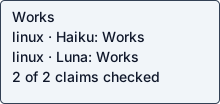
Haiku 5.5
Native agent · Checked operation passedChecked operation mcpx exec filesystem read_text_file '{"path": "/tmp/mcpx-fs/hello.txt"}'
Agent-reported scope: Install the mcpx CLI with the README curl installer, register a local stdio MCP server, and execute a real tool call (read_text_file) that returns file contents; also run the documented search and test commands.
Run details
- run
- arcadeai-labs--mcpx-claude-haiku-5-5-1792811016739004609
- date
- Oct 23, 2026
- time to working
- 1004.1s
- product hosting / execution
- Local command in the guest
- recorded operation scope
- product operation
- model
- claude-haiku-5-5
- agent / version
- claude-code / 2.1.300 (Claude Code)
- platform
- linux
- reported cost
- $0.026570
- Recorded source
- https://github.com/arcadeai-labs/mcpx
- Backend
- hyperv
- Tool transport
- mcp-assigned-vm
- Requested source pin (not an observed revision)
- {"commit": "ce6135ae654f96d8fb022e9d884d5fe0ef7ec1e9", "url": "https://github.com/arcadeai-labs/mcpx"}
- Test version
- readme-bdc1b9b3c0d2673aef87e076d14084a8123ddcf09d520c1ee2e364a37c3f4bb9
- revision
- ce6135ae654f96d8fb022e9d884d5fe0ef7ec1e9
Double-checks failed run: arcadeai-labs--mcpx-claude-haiku-5-5-1792804376068635547.
Safety: Review signals: 1 connection review, 42 known vulnerability, 1 sensitive read. 2 static matches retained as context.
Review signals: 1 connection review, 42 known vulnerability, 1 sensitive read. 2 static matches retained as context.
Reviewed as expected for a test run: read only test files inside the test workspace or its temporary folders; resolver address lookups that send no data.
Repository processes attempted these non-loopback connections; proxies can hide the final hostname. 52 distinct locations. 88 attributed processes.
OSV reports a known vulnerability in this dependency version. 8 distinct locations. 42 findings.
A repository process attempted to read this sensitive path. <guest-path> 1 attributed processes.
PID 9209: <guest-path> · <guest-path>
2 hardcoded secret matches retained as context; full list in the evidence.
OSV scanned supported lockfiles; unpinned dependencies and unsupported formats are outside this check.
A short run cannot establish that code is safe.
Connections show IP addresses; proxies can hide the final hostname.
Tracing covers dispatched commands and their children, not the whole OS; guest root can interfere with tracing.
Answers recorded for this run
- Execute a tool with JSON args returns the file contents: Real input produced the expected result: hello from mcpx
Source: # Execute a tool (JSON args)
Input: read_text_file on /tmp/mcpx-fs/hello.txt
Expected: file text is returned
Command: mcpx exec filesystem read_text_file '{"path": "/tmp/mcpx-fs/hello.txt"}'
Observed: hello from mcpx\n" } ], "structuredContent": { "content": "hello from mcpx\n" } }
- Shell-style flags are parsed against the tool schema and execute the tool: Real input produced the expected result: hello from mcpx
Source: # Execute a tool with shell-style flags (anything after `--` is parsed against the tool's input schema)
Input: --path=/tmp/mcpx-fs/hello.txt
Expected: file text is returned
Command: mcpx exec filesystem read_text_file -- --path=/tmp/mcpx-fs/hello.txt
Observed: hello from mcpx\n" } ], "structuredContent": { "content": "hello from mcpx\n" } }
Examples
- Inspect a server: command completed successfully
Source: README.md # Inspect a server
Input: filesystem
Expected: server overview including its name
Command: mcpx info filesystem
Observed: formation including size, creation time, last modified time, permissions, and type. This tool is perfect for understanding file characteristics without reading the actual content. Only works within allowed directories." }, { "name": "list_allowed_directories", "description": "Returns the list of directories that this server is allowed to access. Subdirectories within these allowed directories are also accessible. Use this to understand which directories and their nested paths are available before trying to access files." } ], "resourceCount": 0, "promptCount": 0 }
- Execute a tool with shell-style flags: command completed successfully
Source: README.md # Execute a tool with shell-style flags
Input: -- --path=/tmp/mcpx-fs/hello.txt
Expected: file text is returned
Command: mcpx exec filesystem read_text_file -- --path=/tmp/mcpx-fs/hello.txt
Observed: { "content": [ { "type": "text", "text": "hello from mcpx\n" } ], "structuredContent": { "content": "hello from mcpx\n" } }
- Keyword/glob search only: command completed successfully
Source: README.md # Search with only keyword/glob matching (fast, no embeddings)
Input: -k *read*
Expected: read_text_file is matched by keyword
Command: mcpx search -k '*read*'
Observed: r file type is returned as an embedded resource. Only works within allowed directories.", "score": 1, "matchType": "keyword" }, { "server": "filesystem", "tool": "read_multiple_files", "description": "Read the contents of multiple files simultaneously. This is more efficient than reading files one by one when you need to analyze or compare multiple files. Each file's content is returned with its path as a reference. Failed reads for individual files won't stop the entire operation. Only works within allowed directories.", "score": 1, "matchType": "keyword" } ]
- Semantic search only: command completed successfully
Source: README.md # Search with only semantic matching
Input: -q open a text file and show its contents
Expected: read_text_file is matched semantically
Command: mcpx search -q 'open a text file and show its contents' -n 3
Observed: 316, "matchType": "semantic" }, { "server": "filesystem", "tool": "read_file", "description": "Read the complete contents of a file as text. DEPRECATED: Use read_text_file instead.", "score": 0.6163130279090819, "matchType": "semantic" }, { "server": "filesystem", "tool": "edit_file", "description": "Make line-based edits to a text file. Each edit replaces exact line sequences with new content. Returns a git-style diff showing the changes made. Only works within allowed directories.", "score": 0.5559674860008187, "matchType": "semantic" } ]
- Repository test suite runs offline: command completed successfully
Source: README.md ## Development
Input: bun test
Expected: all tests pass with 0 failures
Command: <guest-path> test
Observed: stency-rule.test.ts: (pass) naming consistency passes one style and one name per concept [0.74ms] (pass) naming consistency flags synonym and casing drift [0.24ms] test/check/rules/description-substance-rule.test.ts: (pass) description substance penalizes restated and terse descriptions [0.36ms] test/check/rules/token-auth-methods-rule.test.ts: (pass) token endpoint auth methods are advertised [0.09ms] test/check/rules/input-constraints-rule.test.ts: (pass) input constraints recognizes enums and ranges [0.14ms] 661 pass 0 fail 1398 expect() calls Ran 661 tests across 117 files. [97.08s]
Local or hosted: local
What the agent did
Install the mcpx CLI with the README curl installer, register a local stdio MCP server, and execute a real tool call (read_text_file) that returns file contents; also run the documented search and test commands.
cd <guest-path> && pwd && ls -la && id -u && python3 --version && cat README.md 2>/dev/null | head -200
ls -la <guest-path> ; ls /inputs 2>/dev/null; ls <guest-path> 2>/dev/null
cd <guest-path> && grep -n '^#' README.md; echo ---; grep -n -A6 -i 'bun run\|bun test\|npm \|development\|## Contrib' README.md | head -120; echo ---; cat install.sh; echo ---; cat package.json; echo; which bun node npm git curl; git --version 2>&1
cd <guest-path> && git init -q 2>&1; git remote add origin https://github.com/arcadeai-labs/mcpx 2>&1; timeout 120 git fetch --depth 1 origin ce6135ae654f96d8fb022e9d884d5fe0ef7ec1e9 2>&1 | tail -3; git reset --mixed FETCH_HEAD 2>&1 | tail -2; git log --oneline -1; git status --short | head; sudo -n true && echo SUDO_OK; echo NODE_USE_ENV_PROXY=$NODE_USE_ENV_PROXY; env | grep -i proxy | sed 's/=.*@/=***@/'
cd /tmp && curl -fsSL https://raw.githubusercontent.com/arcadeai-labs/mcpx/main/install.sh | bash 2>&1 | tail -20; echo "exit=${PIPESTATUS[0]}"; which mcpx && mcpx --version
cd <guest-path> && sed -n 237,262p README.md; sed -n 348,366p README.md; echo ---; ls test test/* | head -80; echo ---; which node npx; node --version 2>&1
cat /etc/os-release | head -3; (sudo apt-get update -qq 2>&1 | tail -3; sudo DEBIAN_FRONTEND=noninteractive apt-get install -y -qq nodejs npm 2>&1 | tail -5); node --version; npm --version
export NODE_USE_ENV_PROXY=1 MCP_CONFIG_PATH=/tmp/mcpx-config; mkdir -p /tmp/mcpx-config /tmp/mcpx-fs && echo "hello from mcpx" > /tmp/mcpx-fs/hello.txt; cd /tmp && timeout 300 mcpx add filesystem --command npx -- -y @modelcontextprotocol/server-filesystem /tmp/mcpx-fs 2>&1 | tail -5; echo "---servers"; timeout 120 mcpx servers 2>&1 | tail -5; echo "---list"; timeout 180 mcpx -d 2>&1 | tail -30
export NODE_USE_ENV_PROXY=1 MCP_CONFIG_PATH=/tmp/mcpx-config; cd /tmp && timeout 180 mcpx exec filesystem read_text_file '{"path": "/tmp/mcpx-fs/hello.txt"}' 2>&1; echo "exit=$?"; echo ---; timeout 180 mcpx exec filesystem read_text_file -- --path=/tmp/mcpx-fs/hello.txt 2>&1; echo "exit=$?"; echo ---; timeout 60 mcpx exec filesystem read_text_file '{}' 2>&1; echo "exit=$?"
cd <guest-path> && grep -rniE 'setInterval|cron|schedul|--once|--now|webhook|watch\(' src --include=*.ts | head -20; echo "---"; export NODE_USE_ENV_PROXY=1 MCP_CONFIG_PATH=/tmp/mcpx-config; cd /tmp && timeout 120 mcpx info filesystem 2>&1 | head -30; echo "exit=$?"; timeout 60 mcpx ping 2>&1 | head -20
cd <guest-path> && wc -l check.py && grep -n 'source_file\|"stdin"\|expected_file\|def \|cycles\|examples.json\|claims.json\|probe.json\|report.json' check.py | head -90
cd <guest-path> && mkdir -p .coldpass && cat > .coldpass/probe.json <<'EOF'
{"kind":"cli","argv":["mcpx","exec","filesystem","read_text_file","{\"path\": \"/tmp/mcpx-fs/hello.txt\"}"],"cwd":"<guest-path>","env":{"MCP_CONFIG_PATH":"/tmp/mcpx-config","NODE_USE_ENV_PROXY":"1"},"expected_text":"hello from mcpx"}
EOF
cat > .coldpass/claims.json <<'EOF'
[
{"kind":"claim","claim":"Execute a tool with JSON args returns the file contents","source":"# Execute a tool (JSON args)","input":"read_text_file on /tmp/mcpx-fs/hello.txt","expected":"file text is returned","probe_kind":"cli","argv":["mcpx","exec","filesystem","read_text_file","{\"path\": \"/tmp/mcpx-fs/hello.txt\"}"],"expected_text":"hello from mcpx","cwd":"<guest-path>","env":{"MCP_CONFIG_PATH":"/tmp/mcpx-config","NODE_USE_ENV_PROXY":"1"}},
{"kind":"claim","claim":"Shell-style flags are parsed against the tool schema and execute the tool","source":"# Execute a tool with shell-style flags (anything after `--` is parsed against the tool's input schema)","input":"--path=/tmp/mcpx-fs/hello.txt","expected":"file text is returned","probe_kind":"cli","argv":["mcpx","exec","filesystem","read_text_file","--","--path=/tmp/mcpx-fs/hello.txt"],"expected_text":"hello from mcpx","cwd":"<guest-path>","env":{"MCP_CONFIG_PATH":"/tmp/mcpx-config","NODE_USE_ENV_PROXY":"1"}}
]
EOF
cat > .coldpass/cycles.json <<'EOF'
{"detected":false,"reason":"Inspected README.md (no cron, schedule, loop, webhook, --once or --now feature) and src/ (grep for setInterval, cron, schedul, --once, --now, webhook, watch found no product scheduler; the only 'schedule' hit is a naming-rule string in src/check/rules/helpers/naming.ts). mcpx is a one-shot CLI, so no product cycle exists to trigger.","checks":[]}
EOF
cat > .coldpass/examples.json <<'EOF'
[
{"kind":"example","claim":"Inspect a server","source":"README.md # Inspect a server","input":"filesystem","expected":"server overview including its name","argv":["mcpx","info","filesystem"],"cwd":"<guest-path>","env":{"MCP_CONFIG_PATH":"/tmp/mcpx-config","NODE_USE_ENV_PROXY":"1"},"expected_text":"secure-filesystem-server"},
{"kind":"example","claim":"Execute a tool with shell-style flags","source":"README.md # Execute a tool with shell-style flags","input":"-- --path=/tmp/mcpx-fs/hello.txt","expected":"file text is returned","argv":["mcpx","exec","filesystem","read_text_file","--","--path=/tmp/mcpx-fs/hello.txt"],"cwd":"<guest-path>","env":{"MCP_CONFIG_PATH":"/tmp/mcpx-config","NODE_USE_ENV_PROXY":"1"},"expected_text":"hello from mcpx"},
{"kind":"example","claim":"Search tools (keyword + semantic matching)","source":"README.md ## Search","reason":"Not run: mcpx search and mcpx index need the semantic embedding model (@huggingface/transformers) and a built search index, which requires a model download from the network; the guest is not set up for that. Quick Start search was not executed."},
{"kind":"example","claim":"Repository test suite","source":"README.md ## Development","reason":"Not run: the Development section requires Bun (bun install, bun test); Bun is not installed in this guest and the README points to bun.sh for it. The installed mcpx binary was exercised through the Quick Start instead."}
]
EOF
for f in probe claims cycles examples; do python3 -I -m json.tool .coldpass/$f.json >/dev/null && echo "$f ok"; done
<env-var>=<guest-path> python3 -I <guest-path> --validate --replay 2>&1 | tail -60
cd /tmp && timeout 300 bash -c 'curl -fsSL https://bun.sh/install | bash' 2>&1 | tail -4; echo "exit=$?"; ls ~/.bun/bin 2>/dev/null && ~/.bun/bin/bun --version
sudo DEBIAN_FRONTEND=noninteractive apt-get install -y -qq unzip >/dev/null 2>&1; cd /tmp && timeout 300 bash -c 'curl -fsSL https://bun.sh/install | bash' 2>&1 | tail -3; ~/.bun/bin/bun --version
export PATH=$HOME/.bun/bin:$PATH; cd <guest-path> && timeout 600 bun install 2>&1 | tail -4; echo "install_exit=${PIPESTATUS[0]}"; timeout 900 bun test 2>&1 | tail -25; echo "test_exit=${PIPESTATUS[0]}"
export NODE_USE_ENV_PROXY=1 MCP_CONFIG_PATH=/tmp/mcpx-config; echo $HOME; cd /tmp && timeout 400 mcpx index 2>&1 | tail -6; echo "index_exit=${PIPESTATUS[0]}"; timeout 200 mcpx search -k "*read*" 2>&1 | head -12; echo "kw_exit=${PIPESTATUS[0]}"
export NODE_USE_ENV_PROXY=1 MCP_CONFIG_PATH=/tmp/mcpx-config; cd /tmp && timeout 400 mcpx search -q "open a text file and show its contents" -n 3 2>&1 | head -30; echo "sem_exit=${PIPESTATUS[0]}"; ls -la /tmp/mcpx-config
cd <guest-path> && cat > .coldpass/examples.json <<'EOF'
[
{"kind":"example","claim":"Inspect a server","source":"README.md # Inspect a server","input":"filesystem","expected":"server overview including its name","argv":["mcpx","info","filesystem"],"cwd":"<guest-path>","env":{"MCP_CONFIG_PATH":"/tmp/mcpx-config","NODE_USE_ENV_PROXY":"1"},"expected_text":"secure-filesystem-server"},
{"kind":"example","claim":"Execute a tool with shell-style flags","source":"README.md # Execute a tool with shell-style flags","input":"-- --path=/tmp/mcpx-fs/hello.txt","expected":"file text is returned","argv":["mcpx","exec","filesystem","read_text_file","--","--path=/tmp/mcpx-fs/hello.txt"],"cwd":"<guest-path>","env":{"MCP_CONFIG_PATH":"/tmp/mcpx-config","NODE_USE_ENV_PROXY":"1"},"expected_text":"hello from mcpx"},
{"kind":"example","claim":"Keyword/glob search only","source":"README.md # Search with only keyword/glob matching (fast, no embeddings)","input":"-k *read*","expected":"read_text_file is matched by keyword","argv":["mcpx","search","-k","*read*"],"cwd":"<guest-path>","env":{"MCP_CONFIG_PATH":"/tmp/mcpx-config","NODE_USE_ENV_PROXY":"1"},"expected_text":"read_text_file"},
{"kind":"example","claim":"Semantic search only","source":"README.md # Search with only semantic matching","input":"-q open a text file and show its contents","expected":"read_text_file is matched semantically","argv":["mcpx","search","-q","open a text file and show its contents","-n","3"],"cwd":"<guest-path>","env":{"MCP_CONFIG_PATH":"/tmp/mcpx-config","NODE_USE_ENV_PROXY":"1"},"expected_text":"read_text_file"},
{"kind":"example","claim":"Repository test suite runs offline","source":"README.md ## Development","input":"bun test","expected":"all tests pass with 0 failures","argv":["<guest-path>","test"],"cwd":"<guest-path>","env":{},"expected_text":"0 fail"}
]
EOF
python3 -I -m json.tool .coldpass/examples.json >/dev/null && echo ok; <env-var>=<guest-path> python3 -I <guest-path> --validate --replay > <guest-path> 2>&1; echo "exit=$?"; python3 -I -c "
import json,sys
d=json.load(open('<guest-path>')) if False else None
" ; tail -c 1500 <guest-path>
cd <guest-path> && env -i PATH=/usr/local/bin:/usr/bin:/bin HOME=<guest-path> timeout 600 <guest-path> test 2>&1 | grep -E '^ *[0-9]+ (pass|fail)|Ran ' ; env -i PATH=/usr/local/bin:/usr/bin:/bin HOME=<guest-path> timeout 600 <guest-path> test test/integration/stdio-server.test.ts 2>&1 | grep -B3 -A8 'error' | head -40; echo; env | grep -c . ;
cd <guest-path> && python3 -I - <<'EOF'
import json
p='<guest-path>'
items=json.load(open(p))
for it in items:
    if it['argv'][:2]==['<guest-path>','test']:
        it['env']={'PATH':'<guest-path>','HOME':'<guest-path>'}
json.dump(items,open(p,'w'),indent=1)
print('updated')
EOF
<env-var>=<guest-path> python3 -I <guest-path> --validate --replay > <guest-path> 2>&1; echo "exit=$?"; grep -o '"valid": [a-z]*' <guest-path>; grep -o '"problems": \[[^]]*\]' <guest-path> | head -3; grep -o '"status": "[A-Z]*"' <guest-path> | sort | uniq -c; grep -o '"verdict": "[a-z]*"' <guest-path> | sort | uniq -c; grep -o ' [0-9]* pass\\n [0-9]* fail' <guest-path> | head -2
cd <guest-path> && (pgrep -fa 'server-filesystem|mcpx' || echo "no leftover servers"); git status --short | head -5; python3 -I - <<'EOF'
import json
report = {
 "outcome": "working",
 "fault_owner": None,
 "operation": "Install the mcpx CLI with the README curl installer, register a local stdio MCP server, and execute a real tool call (read_text_file) that returns file contents; also run the documented search and test commands.",
 "operation_scope": "Ubuntu 24.04 x64 guest, non-root user with passwordless sudo. Local stdio filesystem MCP server via npx (Node 18.19.1 from apt). No remote hosted servers or credentials used. Semantic search required the embedding model download, which succeeded in this guest.",
 "steps": [
  "curl -fsSL https://raw.githubusercontent.com/arcadeai-labs/mcpx/main/install.sh | bash",
  "mcpx add filesystem --command npx -- -y @modelcontextprotocol/server-filesystem /tmp/mcpx-fs",
  "mcpx -d",
  "mcpx info filesystem",
  "mcpx exec filesystem read_text_file '{\"path\": \"/tmp/mcpx-fs/hello.txt\"}'",
  "mcpx exec filesystem read_text_file -- --path=/tmp/mcpx-fs/hello.txt",
  "mcpx index",
  "mcpx search -k \"*read*\"",
  "mcpx search -q \"open a text file and show its contents\" -n 3",
  "bun install",
  "bun test"
 ],
 "deviations": [
  "Workspace had no git metadata; ran git init, git remote add origin https://github.com/arcadeai-labs/mcpx, git fetch --depth 1 origin ce6135ae654f96d8fb022e9d884d5fe0ef7ec1e9, git reset --mixed FETCH_HEAD as instructed.",
  "Node/npm were not installed; installed nodejs and npm from Ubuntu apt (sudo apt-get install nodejs npm, Node v18.19.1) to run the README's npx stdio server example.",
  "unzip was missing, so the Bun installer failed with 'error: unzip is required to install bun'; installed it with sudo apt-get install unzip and re-ran the bun.sh installer (Bun 1.4.4). Bun is only needed for the README Development section, not for the curl-installed binary.",
  "Quick Start used the GitHub remote server, which needs credentials and was not used; a local stdio filesystem server from the README's Managing Servers example was used instead.",
  "The first checker replay of the bun test example failed (243 failures) because its env did not put bun on PATH, and the stdio integration tests spawn 'bun' by name. Fixed the example env with PATH and HOME; the product was not at fault.",
  "The installed binary is mcpx v1.5.2 from the latest GitHub release, which matches package.json at the pinned commit."
 ],
 "stuck_step": None,
 "main_blocker": None,
 "plain_failure": None,
 "suggested_fix": None
}
import os
os.makedirs('<guest-path>', exist_ok=True)
with open('<guest-path>','w',encoding='utf-8') as f:
    json.dump(report,f,indent=2); f.write('\n')
print('report written')
EOF
ls -la .coldpass; <env-var>=<guest-path> python3 -I <guest-path> --validate --replay > <guest-path> 2>&1; echo "final_exit=$?"; grep -o '"valid": [a-z]*' <guest-path>; grep -o '"problems": \[[^]]*\]' <guest-path>
run JSON · checker evidence · agent report + check · transcript excerpt unavailable · error excerpt unavailable