Haiku 5.5
Native agent · Checked operation passedChecked operation <guest-path> mcp --project <guest-path> · local stdio MCP start + initialize + tools/list
Agent-reported scope: Install the Archcore CLI with the README installer, connect a project with archcore init, and read back a document through the archcore MCP stdio server (get_document).
MCP server returned: archcore · version 0.13.1.
MCP tools returned: add_relation, create_document, get_document, init_project, install_host_config, list_documents, list_relations, remove_document, remove_relation, search_documents, update_document. Tool listing does not establish authenticated tool-call success.
Run details
- run
- archcore-ai--archcore-claude-haiku-5-5-1792969446454259565
- date
- Oct 25, 2026
- time to working
- 85.8s
- product hosting / execution
- Local stdio MCP server in the guest
- recorded operation scope
- product operation
- model
- claude-haiku-5-5
- agent / version
- claude-code / 2.1.310 (Claude Code)
- platform
- linux
- reported cost
- $0.017858
- Recorded source
- https://github.com/archcore-ai/archcore
- Backend
- hyperv
- Tool transport
- mcp-assigned-vm
- Requested source pin (not an observed revision)
- {"commit": "e15eceecec888fbf701c58fe39d3d11c5448b432", "url": "https://github.com/archcore-ai/archcore"}
- Test version
- readme-ca496ea10bb07418d1d8f1c256c2433a55547acc0fb62d8b6d86ae33c976fbfa
- revision
- e15eceecec888fbf701c58fe39d3d11c5448b432
Safety: Review signals: 2 download and execute.
Review signals: 2 download and execute.
Source contains download and execute; review its purpose. plugins/archcore/bin/session-start 2 findings.
OSV scanned supported lockfiles; unpinned dependencies and unsupported formats are outside this check.
A short run cannot establish that code is safe.
Connections show IP addresses; proxies can hide the final hostname.
Tracing covers dispatched commands and their children, not the whole OS; guest root can interfere with tracing.
Answers recorded for this run
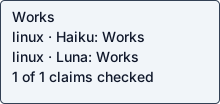
- Archcore writes plain Markdown documents into .archcore/ and the MCP server returns them: Real input produced the expected result: Use Redis for the token bucket
Source: Each command leaves plain Markdown in `.archcore/`, versioned with the code it describes.
Input: {"tool": "get_document", "arguments": {"path": ".archcore/use-redis-token-bucket.adr.md"}}
Expected: document title returned
Command: <guest-path> mcp --project <guest-path> tools/call {"tool": "get_document", "arguments": {"path": ".archcore/use-redis-token-bucket.adr.md"}}
Observed: Use Redis for the token bucket\",\"status\":\"draft\",\"mtime\":\"2026-10-25T23:05:04.800758815Z\",\"content\":\"---\\ntitle: \\\"Use Redis for the token bucket\\\"\\nstatus: draft\\n---\\n\\n## Context\\n\\nState the trigger in 2 to 4 sentences: the situation now, the constraint or\\nmeasurement that turns it into a problem, and what breaks if nothing changes.\\nCite the evidence — @path/to/file, a metric, a commit, an external authority —\\nor mark the claim [assumption] when the decision runs ahead of the code.\\n\\nProse only in this section. A bullet list drops the connective tissue betwe
Examples
- Connect your project with archcore init: command completed successfully
Source: README.md#install (step 2, archcore init)
Input: archcore init --project <guest-path> --yes
Expected: creates .archcore/ or keeps existing settings
Command: <guest-path> init --project <guest-path> --yes
Observed: ╔══════╗ ║ ║ Archcore v0.13.1 — Git-native context for AI coding agents ║ ╔═══╣ Spec-driven development & context engineering ║ ║ ╔═╣ https://archcore.ai ╚══╩═╩═╝ ✓ Created .archcore/ directory ✓ Existing .archcore/settings.json kept No AI agent selected (non-interactive). Run 'archcore mcp install --agent <id>' later. Ready! Run 'archcore status' to verify.
Local or hosted: local
What the agent did
Install the Archcore CLI with the README installer, connect a project with archcore init, and read back a document through the archcore MCP stdio server (get_document).
cd <guest-path> && pwd && ls -la && git -C . status 2>&1 | head -3; id -u; python3 --version; cat README.md 2>/dev/null | head -150
cd <guest-path> && sed -n 150,400p README.md; ls .coldpass docs plugins; ls /inputs 2>&1; ls <guest-path> 2>&1
cd <guest-path> && find . -path ./.git -prune -o -type f -print | head -100; cat .coldpass/* 2>/dev/null | head -5; which curl node npm go uv 2>&1
mkdir -p <guest-path> && cd <guest-path> && curl -fsSL https://archcore.ai/install.sh -o install.sh; echo rc=$?; wc -c install.sh; grep -niE 'telemetry|consent|opt|--|prefix|INSTALL_DIR' install.sh | head -60
cd <guest-path> && DO_NOT_TRACK=1 ARCHCORE_TELEMETRY_OPTOUT=1 NODE_USE_ENV_PROXY=1 bash install.sh 2>&1 | tail -40; echo rc=${PIPESTATUS[0]}; ls -la ~/.local/bin 2>&1
A=<guest-path>; $A --help 2>&1 | head -60; $A version 2>&1 | head -3
A=<guest-path>; $A init --help 2>&1 | head -40; echo ----; $A mcp --help 2>&1 | head -30; echo ----; $A config --help 2>&1 | head -30
mkdir -p <guest-path> && cd <guest-path> && git init -q 2>&1; A=<guest-path>; timeout 120 $A init </dev/null 2>&1 | tail -30; echo rc=$?; find <guest-path> -path '*/.git' -prune -o -print | head -40
mkdir -p <guest-path> && cat > <guest-path> <<'EOF'
import json, subprocess, sys
cmd = sys.argv[1:]
p = subprocess.Popen(cmd, stdin=subprocess.PIPE, stdout=subprocess.PIPE, stderr=subprocess.PIPE, text=True, cwd="<guest-path>")
def send(m): p.stdin.write(json.dumps(m)+"\n"); p.stdin.flush()
def recv(): return json.loads(p.stdout.readline())
send({"jsonrpc":"2.0","id":1,"method":"initialize","params":{"protocolVersion":"2024-11-05","capabilities":{},"clientInfo":{"name":"h","version":"1"}}})
print(json.dumps(recv())[:400])
send({"jsonrpc":"2.0","method":"notifications/initialized"})
send({"jsonrpc":"2.0","id":2,"method":"tools/list","params":{}})
r = recv()
for t in r["result"]["tools"]:
    print(t["name"], "|", json.dumps(t.get("inputSchema",{}).get("properties",{}))[:300])
p.stdin.close(); p.wait(timeout=10)
EOF
python3 -I <guest-path> <guest-path> mcp --project <guest-path> 2>&1 | head -60
cd <guest-path> && sed -i 's/print(t\["name"\], "|", json.dumps(t.get("inputSchema",{}).get("properties",{}))\[:300\])/print(t["name"], "|", json.dumps(t.get("inputSchema",{}), ensure_ascii=False)) if t["name"] in ("create_document","list_documents") else None/' mcp_list.py && python3 -I mcp_list.py <guest-path> mcp --project <guest-path> 2>&1 | tail -n +2 | head -20
cat > <guest-path> <<'EOF'
import json, subprocess, sys
name, args = sys.argv[1], json.loads(sys.argv[2])
cmd = sys.argv[3:]
p = subprocess.Popen(cmd, stdin=subprocess.PIPE, stdout=subprocess.PIPE, stderr=subprocess.PIPE, text=True, cwd="<guest-path>")
def send(m): p.stdin.write(json.dumps(m)+"\n"); p.stdin.flush()
def recv(): return json.loads(p.stdout.readline())
send({"jsonrpc":"2.0","id":1,"method":"initialize","params":{"protocolVersion":"2024-11-05","capabilities":{},"clientInfo":{"name":"h","version":"1"}}})
recv()
send({"jsonrpc":"2.0","method":"notifications/initialized"})
send({"jsonrpc":"2.0","id":2,"method":"tools/call","params":{"name":name,"arguments":args}})
print(json.dumps(recv(), ensure_ascii=False)[:1500])
p.stdin.close(); p.wait(timeout=10)
EOF
cd <guest-path> && python3 -I mcp_call.py create_document '{"type":"adr","filename":"use-redis-token-bucket","title":"Use Redis for the token bucket","status":"draft"}' <guest-path> mcp --project <guest-path>
cd <guest-path> && python3 -I mcp_call.py get_document '{"path":".archcore/use-redis-token-bucket.adr.md"}' <guest-path> mcp --project <guest-path>; cat <guest-path> | head -30; python3 -I mcp_call.py create_document '{"type":"adr","filename":"use-redis-token-bucket","title":"Use Redis for the token bucket"}' <guest-path> mcp --project <guest-path>
cd <guest-path> && <guest-path> status --project <guest-path> 2>&1 | head -30; echo rc=$?; ls <guest-path>; ls -la .coldpass
cd <guest-path> && <guest-path> init --project <guest-path> --yes </dev/null 2>&1 | tail -8; echo rc=${PIPESTATUS[0]}; ls <guest-path>
cd <guest-path> && cat > probe.json <<'EOF'
{"kind":"mcp","argv":["<guest-path>","mcp","--project","<guest-path>"],"cwd":"<guest-path>","tool":"get_document","arguments":{"path":".archcore/use-redis-token-bucket.adr.md"},"expected_text":"Use Redis for the token bucket"}
EOF
cat > claims.json <<'EOF'
[{"kind":"claim","claim":"Archcore writes plain Markdown documents into .archcore/ and the MCP server returns them","source":"Each command leaves plain Markdown in `.archcore/`, versioned with the code it describes.","input":"get_document on the ADR created by create_document","expected":"document title returned","probe_kind":"mcp","argv":["<guest-path>","mcp","--project","<guest-path>"],"tool":"get_document","arguments":{"path":".archcore/use-redis-token-bucket.adr.md"},"expected_text":"Use Redis for the token bucket","cwd":"<guest-path>"}]
EOF
cat > examples.json <<'EOF'
[{"kind":"example","claim":"Connect your project with archcore init","source":"README.md#install (step 2, archcore init)","input":"archcore init --project <guest-path> --yes","expected":"creates .archcore/ or keeps existing settings","argv":["<guest-path>","init","--project","<guest-path>","--yes"],"cwd":"<guest-path>","env":{},"stdin":"","expected_text":"Ready! Run 'archcore status' to verify."}]
EOF
cat > cycles.json <<'EOF'
{"detected":false,"reason":"Entry points inspected: README.md, archcore --help (init, mcp, status, hooks, update, doctor). Archcore is a CLI plus stdio MCP server; it has no built-in cron, scheduler, loop, --once/--now, or webhook trigger. Hooks are agent-driven (Claude Code/Codex/Copilot hook scripts in plugins/archcore/hooks and bin/), fired by the host agent per tool use, not by the product on a schedule. No product cycle to replay.","checks":[]}
EOF
python3 -I -c 'import json;[json.load(open(f)) for f in ["probe.json","claims.json","examples.json","cycles.json"]];print("ok")'
cd <guest-path> && <env-var>=<guest-path> python3 -I <guest-path> --validate --replay 2>&1 | tail -60; echo rc=${PIPESTATUS[0]}
cd <guest-path> && cat > report.json <<'EOF'
{"outcome":"working","fault_owner":null,"operation":"Install the Archcore CLI with the README installer, connect a project with archcore init, and read back a document through the archcore MCP stdio server (get_document).","operation_scope":"Linux amd64 guest, Ubuntu, Python 3.12.3 (checker only). Archcore CLI v0.13.1 from archcore.ai install.sh. Project state lives in <guest-path> (a separate git-initialized dir, not the source snapshot). No AI agent host (Claude Code/Codex/Copilot) was present, so plugin install and agent slash commands were not exercised.","steps":["curl -fsSL https://archcore.ai/install.sh | bash (run as: DO_NOT_TRACK=1 ARCHCORE_TELEMETRY_OPTOUT=1 NODE_USE_ENV_PROXY=1 bash install.sh, telemetry opted out)","archcore init (non-interactive, stdin null, no agent selected)","archcore init --yes (rerun, kept existing settings)","archcore mcp --project <guest-path> (stdio MCP server; create_document adr 'Use Redis for the token bucket' once during setup)","get_document path .archcore/use-redis-token-bucket.adr.md (probe and claim replay)"],"deviations":["README installer is curl|sh from archcore.ai; ran it after downloading to <guest-path> and reading it; telemetry disabled via DO_NOT_TRACK=1 and ARCHCORE_TELEMETRY_OPTOUT=1. Installed to <guest-path> (HOME-based default) rather than PATH; the probe uses the absolute path.","Did not run archcore init inside the source workspace; used --project <guest-path> to keep the snapshot unmodified.","The preflight path /inputs/coldpass-preflight.py does not exist; used <guest-path> as the instructions' first command specified.","Probe and claim depend on a document created once during setup (create_document with filename use-redis-token-bucket); hooks are driven by the host agent."],"stuck_step":null,"main_blocker":null,"plain_failure":null,"suggested_fix":null}
EOF
python3 -I -c 'import json;json.load(open("report.json"));print("ok")'; ls -la <guest-path> | head -20; ls <guest-path>
cd <guest-path> && <env-var>=<guest-path> python3 -I <guest-path> --validate --replay 2>&1 | head -c 400; echo; echo rc=${PIPESTATUS[0]}
run JSON · checker evidence · agent report + check · transcript excerpt · error excerpt unavailable