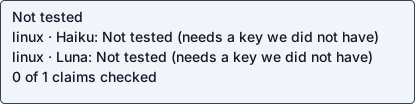
Haiku 5.5
Native agent · Needs credentials · full use untestedOperation / attempted scope limited checks
Agent-reported scope: Connect a local MCP client through the README's mcp-remote proxy to the hosted Atlassian MCP server (https://mcp.atlassian.com/v2/mcp) and call a real Jira/Confluence tool
Run details
- run
- atlassian--atlassian-mcp-server-claude-haiku-5-5-1792809164947977869
- date
- Oct 23, 2026
- time to working
- not recorded
- product hosting / execution
- Not recorded
- recorded operation scope
- limited checks
- model
- claude-haiku-5-5
- agent / version
- claude-code / 2.1.300 (Claude Code)
- platform
- linux
- reported cost
- $0.026507
- Recorded source
- https://github.com/atlassian/atlassian-mcp-server
- Backend
- hyperv
- Tool transport
- mcp-assigned-vm
- Requested source pin (not an observed revision)
- {"commit": "b74220d41142fae52b4f680c805b2ab81050991a", "url": "https://github.com/atlassian/atlassian-mcp-server"}
- Test version
- readme-bdc1b9b3c0d2673aef87e076d14084a8123ddcf09d520c1ee2e364a37c3f4bb9
- revision
- b74220d41142fae52b4f680c805b2ab81050991a
Prerequisite: full use remains untested. This is not a repo defect.
No Atlassian sign-in is available in this guest: the endpoint requires OAuth consent in a browser or an API token
Double-checks failed run: atlassian--atlassian-mcp-server-claude-haiku-5-5-1792804376637966740.
Step: Authenticating to the hosted Atlassian MCP server (OAuth browser sign-in or API token) through mcp-remote
No Atlassian sign-in is available in this guest: the endpoint requires OAuth consent in a browser or an API token
Safety: No problems traced to this repository code in these checks.
No problems traced to this repository code in these checks.
OSV scanned supported lockfiles; unpinned dependencies and unsupported formats are outside this check.
A short run cannot establish that code is safe.
Connections show IP addresses; proxies can hide the final hostname.
Tracing covers dispatched commands and their children, not the whole OS; guest root can interfere with tracing.
Install / setup / connection checks
[
  {
    "status": "PASS",
    "details": {
      "working": false,
      "argv": [
        "npx",
        "-y",
        "mcp-remote",
        "https://mcp.atlassian.com/v2/mcp"
      ],
      "kind": "mcp",
      "needs_credentials": true,
      "credentials_error": "MCP response missing for request 1: argv did not answer as a stdio MCP server (a client CLI that talks to servers is kind cli); stderr: [10024] Using callback port derived from the server URL: 38677\n[10024] Discovering OAuth server configuration...\n[10024] Discovered authorization server: https://auth.atlassian.com/VCeDsk8ZHncYF1g234fKtc4lNipbBhu3\n[10024] Initializing auth coordination on-demand\n[10024] OAuth callback server running at http://127.0.0.1:38677\n[10024] This instance is running the sign-in for this server (callback port 38677)\n[10024] [10024] Connecting to remote server: https://mcp.atlassian.com/v2/mcp\n[10024] Using transport strategy: http-first\n[10024] \nPlease authorize this client by visiting:\nhttps://auth.atlassian.com/authorize?response_type=code&client_id=9Huky75heaaO0FvZA0Aro7vSIyhtZz2H&code_challenge=ToH0wbZSK8LxhmksUQOyJs36jXu2DUuoE7v5BwNkcrE&code_challenge_method=S256&redirect_uri=http%3A%2F%2Flocalhost%3A38677%2Foauth%2Fcallback&state=433a2754-0d5c-48ff-b539-ab65aea10974&scope=read%3Ame+read%3Aaccount+offline_access+email+read%3Ajira%3Aagent-interface+write%3Ajira%3Aagent-interface+search%3Ajira%3Aagent-interface+delete%3Ajira%3Aagent-interface+manage%3Ajira%3Aagent-interface+read%3Aconfluence%3Aagent-interface+write%3Aconfluence%3Aagent-interface+search%3Aconfluence%3Aagent-interface+search%3Arovo%3Aagent-interface+search%3Acode%3Aagent-interface+read%3Ajsm%3Aagent-interface+write%3Ajsm%3Aagent-interface+read%3Aall%3Atwg+write%3Aall%3Atwg+read%3Agoals%3Aagent-interface+write%3Agoals%3Aagent-interface+read%3Aprojects%3Aagent-interface+write%3Aprojects%3Aagent-interface+read%3Abitbucket%3Aagent-interface+write%3Abitbucket%3Aagent-interface+read%3Aloom%3Aagent-interface+write%3Aloom%3Aagent-interface+read%3Atalent%3Aagent-interface+write%3Atalent%3Aagent-interface+read%3Ajira-align%3Aagent-interface+write%3Ajira-align%3Aagent-interface+read%3Ateams%3Aagent-interface+write%3Ateams%3Aagent-interface+read%3Aartifacts%3Aagent-interface+write%3Aartifacts%3Aagent-interface+read%3Acapacity-planning%3Aagent-interface+write%3Acapacity-planning%3Aagent-interface+read%3Afocus%3Aagent-interface+write%3Afocus%3Aagent-interface+read%3Aassets%3Aagent-interface+write%3Aassets%3Aagent-interface&prompt=consent&resource=https%3A%2F%2Fmcp.atlassian.com%2Fv2%2Fmcp\n\n[10024] Trying /usr/bin/xdg-open to open the browser...\n[10024] Trying gio to open the browser...\n[10024] Trying x-www-browser to open the browser...\n[10024] Trying sensible-browser to open the browser...\n[10024] Could not open a browser automatically. Please copy and paste the URL above into your browser.\n[10024] Authentication required. Initializing auth...\n[10024] Authentication required. Waiting for authorization...\n"
    },
    "check": "credentials_error",
    "optional": false
  }
]
Answers recorded for this run
- Hosted endpoint accepts TLS 1.2 connections (unauthenticated request returns 401; tool results not checked): Real input produced the expected result: 401
Source: HTTPS (TLS 1.2 or later)
Input: curl --tlsv1.2 https://mcp.atlassian.com/v2/mcp
Expected: HTTP 401 from the endpoint over TLS 1.2
Command: curl -sS --tlsv1.2 -o /dev/null -w '%{http_code}' -m 30 https://mcp.atlassian.com/v2/mcp
Observed: 401
- Local MCP proxy needs Node.js v18+ (mcp-remote): Node 18.19.1 was installed first; npx mcp-remote then failed because its undici dependency needs Node >=20.18.1. Upgraded to Node v24.22.1 with n lts. The remaining prerequisite is the Atlassian OAuth browser sign-in, which is not available in this guest.
Source: installed to run the local MCP proxy
Observed: Node 18.19.1 was installed first; npx mcp-remote then failed because its undici dependency needs Node >=20.18.1. Upgraded to Node v24.22.1 with n lts. The remaining prerequisite is the Atlassian OAuth browser sign-in, which is not available in this guest.
- Headless authentication uses API token credentials: Needs an Atlassian Cloud site and API token credentials, which this guest does not have and must not obtain.
Source: API token credentials for headless authentication
Observed: Needs an Atlassian Cloud site and API token credentials, which this guest does not have and must not obtain.
- Recommended endpoint for all clients: Tool calls require OAuth sign-in (browser) or an API token, neither available in this guest, so no tool result can be checked.
Source: The recommended endpoint for all clients is:
Observed: Tool calls require OAuth sign-in (browser) or an API token, neither available in this guest, so no tool result can be checked.
Examples
- Validate the Agent Plugins package and client files: command completed successfully
Source: CONTRIBUTING.md
Input: npm run validate
Expected: Validation passed.
Command: npm run validate
Observed: > validate > node scripts/validate-template.mjs Warnings: - atlassian: no hooks/hooks.json file found (only needed when using hooks). Validation passed.
- Run the offline validation test suite: command completed successfully
Source: CONTRIBUTING.md
Input: npm test
Expected: 17 tests pass, 0 fail
Command: npm test
Observed: ained Windows-style cwd paths pass validation (0.334603ms) ✔ plugin.json rejects every non-object root value (64.629648ms) ✔ mcp.json rejects every non-object root value (49.58032ms) ✔ malformed Agent Skill YAML is rejected (4.532447ms) ✔ non-mapping Agent Skill frontmatter is rejected (0.811154ms) ✔ quoted, folded, and literal YAML strings are parsed (1.077517ms) ✔ Agent Skill fields must use valid string values (35.483073ms) ✔ Agent Skill names must match their parent directory (22.921808ms) ℹ tests 17 ℹ suites 0 ℹ pass 17 ℹ fail 0 ℹ cancelled 0 ℹ skipped 0 ℹ todo 0 ℹ duration_ms 2475.341611
Local or hosted: both
Suggested next step (agent-reported): Run the probe on a machine with a browser and an Atlassian account, or supply an API token for headless use (the README says API tokens work for headless authentication). Then add a read-only tool call (for example a Jira search) with an expected_text from its result. Also consider updating README's 'Node.js v18+' to note that current mcp-remote needs Node >= 20.18.1.
What the agent did
Connect a local MCP client through the README's mcp-remote proxy to the hosted Atlassian MCP server (https://mcp.atlassian.com/v2/mcp) and call a real Jira/Confluence tool
cd <guest-path> && ls -la && cat README.md 2>/dev/null | head -200; id -u; python3 --version; git -C . rev-parse 2>&1 | head -1; ls <guest-path> /inputs 2>&1
cd <guest-path> && grep -n -i -E "npm|npx|node|local|docker|stdio|install|python|pip|uv |mcp-remote|```" README.md | head -120; echo ---; cat package.json; echo ---; find scripts .coldpass .github -type f | head; echo ---; cat .mcp.json mcp.json server.json
cd <guest-path> && grep -n -i -E 'npm|npx|node|local|docker|stdio|install|python|pip|uv |mcp-remote' README.md | head -120; echo ---; cat package.json; echo ---; find scripts .coldpass .github -type f | head -30; echo ---; cat .mcp.json; echo; cat mcp.json; echo; cat server.json
cd <guest-path> && sed -n 255,300p README.md; echo ---; which node npm npx; node --version 2>&1; npm --version 2>&1; cat /etc/os-release | head -2
sudo -n apt-get update -qq 2>&1 | tail -3; sudo -n DEBIAN_FRONTEND=noninteractive apt-get install -y -qq nodejs npm 2>&1 | tail -5; node --version; npm --version
cd <guest-path> && export NODE_USE_ENV_PROXY=1 && npm ci 2>&1 | tail -5; echo "rc=$?"; npm run validate 2>&1 | tail -15; echo "validate rc=${PIPESTATUS[0]}"; npm test 2>&1 | tail -12
cd /tmp && export NODE_USE_ENV_PROXY=1 && timeout 60 curl -sS -m 20 -o /dev/null -w "%{http_code}\n" https://mcp.atlassian.com/v2/mcp 2>&1; echo "curl rc=$?"; timeout 120 npx -y mcp-remote https://mcp.atlassian.com/v2/mcp </dev/null 2>&1 | head -30; echo "rc=${PIPESTATUS[0]}"
sudo -n npm install -g n 2>&1 | tail -2; sudo -n env N_PREFIX=/usr/local n lts 2>&1 | tail -3; hash -r; which node; node --version; npm --version
cd /tmp && export NODE_USE_ENV_PROXY=1 && (printf '%s\n' '{"jsonrpc":"2.0","id":1,"method":"initialize","params":{"protocolVersion":"2025-06-18","capabilities":{},"clientInfo":{"name":"probe","version":"0"}}}' | timeout 60 npx -y mcp-remote https://mcp.atlassian.com/v2/mcp 2>&1 | head -40); echo "rc=${PIPESTATUS[1]}"
wc -l <guest-path>; grep -n -E "credentials_error|testable|checks|def |expected_text|\"check\"|'check'" <guest-path> | head -120
sed -n 350,362p <guest-path>; echo ....; sed -n 384,400p <guest-path>; echo ....; sed -n 444,450p <guest-path>; echo ....; sed -n 653,657p <guest-path>; echo ....; sed -n 788,856p <guest-path>; echo ....; sed -n 1168,1205p <guest-path>
grep -n -E "^(CREDENTIALS|PREREQUISITE|SECRET_NAME|MCP_HTTP_SCOPE|WORKSPACE|CREDENTIAL)" <guest-path>; sed -n 935,960p <guest-path>; sed -n 1154,1168p <guest-path>; sed -n 1273,1285p <guest-path>; sed -n 400,444p <guest-path>
sed -n 856,935p <guest-path>; pgrep -af "mcp-remote" | head; ss -ltnp 2>/dev/null | grep 38677
cd <guest-path> && grep -rn -E "npm (test|run|ci)|node --test|validate" CONTRIBUTING.md README.md skills/README.md .github 2>/dev/null | head; echo ---; grep -rn -i -E "cron|schedule|webhook|--once|setInterval|loop" --include=*.mjs --include=*.md --include=*.json . 2>/dev/null | grep -v node_modules | head -5; echo ---; which npm npx node; ls .coldpass
cd <guest-path> && mkdir -p .coldpass && cat > .coldpass/probe.json <<'EOF'
{"checks":[
  {"check":"credentials_error","kind":"mcp","argv":["npx","-y","mcp-remote","https://mcp.atlassian.com/v2/mcp"],"cwd":"/tmp"}
]}
EOF
cat > .coldpass/claims.json <<'EOF'
[
  {"kind":"claim","claim":"Local MCP proxy needs Node.js v18+ (mcp-remote)","source":"installed to run the local MCP proxy","testable":false,"reason":"Node 18.19.1 was installed first; npx mcp-remote then failed because its undici dependency needs Node >=20.18.1. Upgraded to Node v24.22.1 with n lts. The remaining prerequisite is the Atlassian OAuth browser sign-in, which is not available in this guest.","probe_kind":"mcp","argv":["npx","-y","mcp-remote","https://mcp.atlassian.com/v2/mcp"],"cwd":"/tmp"},
  {"kind":"claim","claim":"Headless authentication uses API token credentials","source":"API token credentials for headless authentication","testable":false,"reason":"Needs an Atlassian Cloud site and API token credentials, which this guest does not have and must not obtain.","probe_kind":"mcp","argv":["npx","-y","mcp-remote","https://mcp.atlassian.com/v2/mcp"],"cwd":"/tmp"},
  {"kind":"claim","claim":"Recommended endpoint for all clients","source":"The recommended endpoint for all clients is:","testable":false,"reason":"The endpoint answers the unauthenticated call with HTTP 401 (observed). Tool calls require OAuth sign-in or an API token, which are unavailable here, so no tool result can be checked.","probe_kind":"mcp","argv":["npx","-y","mcp-remote","https://mcp.atlassian.com/v2/mcp"],"cwd":"/tmp"}
]
EOF
cat > .coldpass/examples.json <<'EOF'
[
  {"kind":"example","claim":"Validate the Agent Plugins package and client files","source":"CONTRIBUTING.md","input":"npm run validate","expected":"Validation passed.","argv":["npm","run","validate"],"cwd":"<guest-path>","expected_text":"Validation passed."},
  {"kind":"example","claim":"Run the offline validation test suite","source":"CONTRIBUTING.md","input":"npm test","expected":"17 tests pass, 0 fail","argv":["npm","test"],"cwd":"<guest-path>","expected_text":"# fail 0"}
]
EOF
cat > .coldpass/cycles.json <<'EOF'
{"detected":false,"reason":"Entry points inspected: package.json scripts (test, validate), .mcp.json, mcp.json, server.json, and a grep for cron, schedule, webhook, --once, setInterval and loop. The product is a hosted remote MCP endpoint (https://mcp.atlassian.com/v2/mcp) with a stdio proxy (mcp-remote) run on demand. It has no scheduler or self-triggered cycle in this repository.","checks":[]}
EOF
for f in .coldpass/*.json; do python3 -I -c "import json,sys;json.load(open(sys.argv[1]));print('ok',sys.argv[1])" "$f"; done
<env-var>=<guest-path> python3 -I <guest-path> --validate --replay; echo "rc=$?"
sed -n 1205,1262p <guest-path>
cd <guest-path> && cat > .coldpass/claims.json <<'EOF'
[
  {"kind":"claim","claim":"Hosted endpoint accepts TLS 1.2 connections (unauthenticated request returns 401; tool results not checked)","source":"HTTPS (TLS 1.2 or later)","input":"curl --tlsv1.2 https://mcp.atlassian.com/v2/mcp","expected":"HTTP 401 from the endpoint over TLS 1.2","probe_kind":"cli","argv":["curl","-sS","--tlsv1.2","-o","/dev/null","-w","%{http_code}","-m","30","https://mcp.atlassian.com/v2/mcp"],"expected_text":"401","cwd":"<guest-path>"},
  {"kind":"claim","claim":"Local MCP proxy needs Node.js v18+ (mcp-remote)","source":"installed to run the local MCP proxy","testable":false,"reason":"Node 18.19.1 was installed first; npx mcp-remote then failed because its undici dependency needs Node >=20.18.1. Upgraded to Node v24.22.1 with n lts. The remaining prerequisite is the Atlassian OAuth browser sign-in, which is not available in this guest."},
  {"kind":"claim","claim":"Headless authentication uses API token credentials","source":"API token credentials for headless authentication","testable":false,"reason":"Needs an Atlassian Cloud site and API token credentials, which this guest does not have and must not obtain."},
  {"kind":"claim","claim":"Recommended endpoint for all clients","source":"The recommended endpoint for all clients is:","testable":false,"reason":"Tool calls require OAuth sign-in (browser) or an API token, neither available in this guest, so no tool result can be checked."}
]
EOF
<env-var>=<guest-path> python3 -I <guest-path> --validate --replay > <guest-path>; echo "rc=$?"; python3 -I -c "
import json;d=json.load(open('<guest-path>'))
print('valid',d['valid']); print('problems',d['problems'])
r=d.get('replay',{}); print('replay',r.get('status'), r.get('evidence_strength'))
for c in r.get('claims',[]): print('CLAIM',c['verdict'],c['claim'][:50],'|',c['outcome'][:90])
for c in r.get('example_checks',[]): print('EX',c['verdict'],c['claim'][:50])
print('checks', [(c['status'],c['details'].get('working')) for c in r.get('details',{}).get('checks',[])])
"
cd <guest-path> && pgrep -af "^node .*mcp-remote|^npm exec mcp-remote" || echo "no mcp-remote servers running"; cat > .coldpass/report.json <<'EOF'
{
  "outcome": "needs_credentials",
  "fault_owner": "prerequisite",
  "operation": "Connect a local MCP client through the README's mcp-remote proxy to the hosted Atlassian MCP server (https://mcp.atlassian.com/v2/mcp) and call a real Jira/Confluence tool",
  "operation_scope": "Requires an Atlassian Cloud site and either an interactive OAuth 2.1 browser sign-in or an API token. Neither is available in this disposable guest, and no credentials were obtained. Node.js v18+ is required (v24 was used).",
  "steps": [
    "README 'For IDEs or local clients (desktop setup)': install Node.js v18+ (sudo -n apt-get install -y nodejs npm; Node v18.19.1 installed)",
    "npm ci (repo lockfile; 0 vulnerabilities)",
    "npm run validate (from CONTRIBUTING.md; 'Validation passed.')",
    "npm test (from CONTRIBUTING.md; 17 pass, 0 fail)",
    "README 'Architecture and communication': endpoint https://mcp.atlassian.com/v2/mcp; unauthenticated curl returns HTTP 401",
    "README local client path: npx -y mcp-remote https://mcp.atlassian.com/v2/mcp (run from /tmp); printed an OAuth authorize URL, could not open a browser, and waited for authorization"
  ],
  "deviations": [
    "Guest had no node/npm. Installed with sudo -n apt-get install -y nodejs npm (Node v18.19.1, npm 9.2.0).",
    "npx -y mcp-remote failed on Node v18.19.1: its undici dependency needs Node >=20.18.1 (ReferenceError: File is not defined). Upgraded with sudo -n npm install -g n && sudo -n env N_PREFIX=/usr/local n lts to Node v24.22.1 (npm 11.19.1). Node 24 satisfies the README's 'Node.js v18+'.",
    "No Atlassian OAuth sign-in or API token available; the mcp-remote call stops at the browser authorization step. No tool call was made, so no product result was observed.",
    "Checker path: /inputs/coldpass-preflight.py does not exist in this guest; used <guest-path> with the same --validate --replay arguments.",
    "Pinned commit b74220d41142fae52b4f680c805b2ab81050991a was not fetched with git; the workspace is a non-git snapshot that was used as provided."
  ],
  "stuck_step": "Authenticating to the hosted Atlassian MCP server (OAuth browser sign-in or API token) through mcp-remote",
  "main_blocker": "No Atlassian sign-in is available in this guest: the endpoint requires OAuth consent in a browser or an API token",
  "plain_failure": "The Atlassian MCP server is hosted and only answers after you sign in to an Atlassian Cloud site. This test guest has no browser and no account, so the server could not be asked to run a real Jira or Confluence action. The local setup itself works: Node was installed, the repo's own checks pass, and the server responds with its sign-in prompt.",
  "suggested_fix": "Run the probe on a machine with a browser and an Atlassian account, or supply an API token for headless use (the README says API tokens work for headless authentication). Then add a read-only tool call (for example a Jira search) with an expected_text from its result. Also consider updating README's 'Node.js v18+' to note that current mcp-remote needs Node >= 20.18.1."
}
EOF
python3 -I -c "import json;json.load(open('.coldpass/report.json'));print('report ok')"; ls -la .coldpass
cd <guest-path> && <env-var>=<guest-path> python3 -I <guest-path> --validate --replay | python3 -I -c "import json,sys;d=json.load(sys.stdin);print('valid',d['valid'],'problems',d['problems'],'replay',d['replay']['status'],d['replay']['evidence_strength'])"; echo "rc=${PIPESTATUS[0]}"
run JSON · checker evidence · agent report + check · transcript excerpt unavailable · error excerpt unavailable