jina-ai/MCP

GitHub ↗ · How this check works

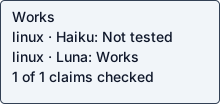
Per-setup public labels: Linux / Haiku: Not tested · Linux / Luna: Works

Static status badge · SVG · read-only JSON. Embed with ![Coldpass status](https://coldpass.dev/badge/jina-ai--MCP.svg).

mcp-server

Works

README claims checked out on 1 recorded setup. Combinations not listed here were not tested.

Answers apply to each recorded setup, revision and operation. Earlier observations remain in Run details.

Tested on Linux
PlatformHaikuLuna
Linuxnot testedyes

Linux / Haiku 5.5: not tested · Oct 23, 2026 · b938c00f0870 · claude-code / 2.1.300 (Claude Code)
Recorded operation: Remote hosted MCP connection · initialize + tools/list · http://localhost:8787/v1

Linux / Luna: yes · Oct 23, 2026 · b938c00f0870 · codex / codex-cli 0.163.0
Recorded operation: Remote hosted MCP connection · initialize + tools/list · http://127.0.0.1:8787/v1

Does what it says
1 of 1 claims checked out
  • The primer tool returns current contextual information for localized, time-aware responses without an API key.: Real input produced the expected result: utc

    Source: `primer` | Get current contextual information for localized, time-aware responses | No

    Input: {"tool": "primer", "arguments": {}}

    Expected: Current UTC timestamp in the returned context.

    Command: npm run start -- --ip 0.0.0.0 tools/call {"tool": "primer", "arguments": {}}

    Observed: utc: 2026-10-24T02:41:51.511Z\n userTimezone: America/New_York\n userLocalTime: 10/23/2026, 10:41:51 PM\nclient:\n ip: 127.0.0.1\n userAgent: coldpass-check/1\nlocation:\n country: US\n city: Verona\n region: Pennsylvania\n regionCode: PA\n continent: NA\n postalCode: \"15147\"\n metroCode: \"508\"\n timezone: America/New_York\n coordinates:\n lat: \"40.50646\"\n lon: \"-79.8431\"\nnetwork:\n asn: 701\n organization: Verizon Business\n datacenter: IAD\n protocol: HTTP/1.1\n tlsVersion: TLSv1.3\n"}]}

MCP
Yes, observed
Local or hosted
both local and hosted
Both a local install and a hosted service
Needs keys or browser
None seen
Maintained
Maintained
actively maintained: last commit 8 days ago; 28 commits and 3 merged PRs in 90 days; 15 open issues, 3 open PRs; 9 of 30 recent threads got a maintainer reply, median first reply 44.0h; no releases

Last commit Oct 15, 2026

Setup time
17 min 32 s
17 min 32 s to a working result
Issue
none found in recorded check
Examples
not tested (blocked)
  • No finite runnable README examples beyond the documented local server quickstart; server behavior is replayed by probe.json.: npm run start is a persistent server command; its install and live tool-call behavior are replayed by probe.json, which starts and stops it.

    Source: README.md / Developer Guide / Local Development

    Expected: documented command completes successfully

    Observed: npm run start is a persistent server command; its install and live tool-call behavior are replayed by probe.json, which starts and stops it.

Evidence
README behavior checked
Agent interfaces
MCP
MCP

Observed interfaces were exercised by the checker. Documentation alone does not confirm compatibility.

MCP context
12 tools · about 2,035 tokens

Largest returned tools/list page in these observations. Compact UTF-8 definition bytes ÷ 4, rounded up; approximate, excluding client framing and tool results. This is context size, not proof that every tool works.

Measured on linux with Luna · Oct 23, 2026 on b938c00f0870

Tested with
Codex / Luna
  • Linux: Codex / Luna · agent codex-cli 0.163.0 · Hosted MCP connection/tools-list passed · Oct 23, 2026 on b938c00f0870

Each entry describes its recorded operation and source revision. Other agent clients were not tested.

Safety
Made outbound HTTPS connections: yes (hosts not recorded) by npm lifecycle

Review signals across current setups: connection review. 236 listed items (named-host connections, static matches, dependency advisories) are below and do not change this verdict.

Repository processes attempted these non-loopback connections; proxies can hide the final hostname. 6 distinct locations. 2 findings. 13 attributed processes.

OSV reports a known vulnerability in this dependency version. 20 distinct locations. 118 findings.

Reviewed as expected for a test run: npm looked for a config file that did not exist, so nothing was read; resolver address lookups that send no data.

Full event, path and process lists for each observed setup:

Run details

Haiku 5.5

Native agent · Not tested

Checked operation Remote hosted MCP connection · initialize + tools/list · http://localhost:8787/v1

Tested against the hosted endpoint only. Local install is untested.

Agent-reported scope: Run the jina-mcp Remote MCP server locally with the README's dev command and call its read_url tool over streamable HTTP at /v1

MCP server returned: Jina AI Official MCP Server · version 1.9.0.

MCP tools returned: primer, guess_datetime_url, capture_screenshot_url, read_url, search_web, search_arxiv, search_ssrn, search_jina_blog, search_images, sort_by_relevance, deduplicate_strings, extract_pdf. Tool listing does not establish authenticated tool-call success.

Run details
run
jina-ai--MCP-claude-haiku-5-5-1792807858088469116
date
Oct 23, 2026
time to working
711.6s
product hosting / execution
Remote hosted MCP endpoint
recorded operation scope
remote hosted MCP initialize + tools/list
model
claude-haiku-5-5
agent / version
claude-code / 2.1.300 (Claude Code)
platform
linux
reported cost
$0.014960
Recorded source
https://github.com/jina-ai/MCP
Backend
hyperv
Tool transport
mcp-assigned-vm
Requested source pin (not an observed revision)
{"commit": "b938c00f0870a75b39a78d5dff1f5bf645151a6e", "url": "https://github.com/jina-ai/MCP"}
Test version
readme-bdc1b9b3c0d2673aef87e076d14084a8123ddcf09d520c1ee2e364a37c3f4bb9
revision
b938c00f0870a75b39a78d5dff1f5bf645151a6e
Whose fault: not assigned · pending

Safety: Review signals: 1 connection review, 118 known vulnerability.

Review signals: 1 connection review, 118 known vulnerability.

Reviewed as expected for a test run: npm looked for a config file that did not exist, so nothing was read; resolver address lookups that send no data.

Repository processes attempted these non-loopback connections; proxies can hide the final hostname. 4 distinct locations. 8 attributed processes.

OSV reports a known vulnerability in this dependency version. 20 distinct locations. 118 findings.

OSV scanned supported lockfiles; unpinned dependencies and unsupported formats are outside this check.

A short run cannot establish that code is safe.

Connections show IP addresses; proxies can hide the final hostname.

Tracing covers dispatched commands and their children, not the whole OS; guest root can interfere with tracing.

Full safety evidence →

Answers recorded for this run
  • read_url reads a web page as markdown without an API key: Real input produced the expected result: title: Example Domain

    Source: Read a web page or PDF as markdown.

    Input: {"tool": "read_url", "arguments": {"url": "https://example.com"}}

    Expected: markdown page with title Example Domain

    Command: npm run start tools/call {"tool": "read_url", "arguments": {"url": "https://example.com"}}

    Observed: title: Example Domain\ncontent: >-\n This domain is for use in documentation examples without needing permission.\n This is not a service; avoid relying on it for testing and monitoring\n purposes.\n\n\n هذا النطاق مُخصص للاستخدام في أمثلة التوثيق دون الحاجة إلى إذن. هذه ليست خدمة،\n يُرجى تجنب الاعتماد عليها لأغراض الاختبار والمراقبة.\n\n\n 该域名仅用于文档示例,无需获得许可。这并非一项服务,请勿将其用于测试和监控目的。\n\n\n L’usage de ce domaine est réservé à des exemples de documentation, sans\n autorisation préalable. Il ne s’agit pas d’un service ; son utilisation à des\n fins de test ou de surveillance est à éviter.\

Examples

  • Type-check the TypeScript source: command completed successfully

    Source: package.json scripts.type-check

    Input: none

    Expected: tsc exits 0 with no errors

    Command: npm run type-check

    Observed: > [email protected] type-check > tsc --noEmit

  • Run the local dev server (documented in README Local Development): Long-running server, not a finite example; it is exercised by probe.json (npm run start on localhost:8787/v1, read_url call) and was stopped afterwards

    Source: README.md Developer Guide > Local Development

    Expected: documented command completes successfully

    Observed: Long-running server, not a finite example; it is exercised by probe.json (npm run start on localhost:8787/v1, read_url call) and was stopped afterwards

  • Run the test suite: No test script exists in package.json (scripts: deploy, dev, format, lint:fix, start, cf-typegen, type-check); no documented tests to run

    Source: package.json scripts

    Expected: documented command completes successfully

    Observed: No test script exists in package.json (scripts: deploy, dev, format, lint:fix, start, cf-typegen, type-check); no documented tests to run

Local or hosted: both

What the agent did

Run the jina-mcp Remote MCP server locally with the README's dev command and call its read_url tool over streamable HTTP at /v1

cd <guest-path> && ls -la && id -u && python3 --version && cat README.md | head -200
cd <guest-path> && tail -c 1500 README.md; echo ----; cat package.json; echo ----; ls -la .coldpass .readme src; echo ----; cat wrangler.jsonc; echo ----; node -v 2>&1; npm -v 2>&1; git --version 2>&1; ls /inputs 2>&1
cd <guest-path> && git init -q && git remote add origin https://github.com/jina-ai/MCP && git fetch --depth 1 origin b938c00f0870a75b39a78d5dff1f5bf645151a6e 2>&1 | tail -5; git reset --mixed FETCH_HEAD 2>&1 | tail -3; git log --oneline -1; git status --short | head
cd /tmp && (sudo -n true && echo SUDO_OK) 2>&1; curl -sS -m 30 -o /tmp/nodesetup.sh https://deb.nodesource.com/setup_22.x 2>&1 && echo fetched; (sudo -n apt-get update -qq 2>&1 | tail -2; sudo -n apt-get install -y -qq nodejs npm 2>&1 | tail -3); node -v; npm -v
cd <guest-path> && export NODE_USE_ENV_PROXY=1 && timeout 900 npm install 2>&1 | tail -15; echo EXIT=$?; node -e "console.log(require('wrangler/package.json').engines)" 2>&1
cd /tmp && sudo -n -E bash /tmp/nodesetup.sh >/tmp/nodesetup.log 2>&1; echo SETUP_EXIT=$?; sudo -n apt-get install -y -qq nodejs 2>&1 | tail -3; hash -r; node -v; npm -v; which node
cd <guest-path> && export NODE_USE_ENV_PROXY=1 && npm install 2>&1 | tail -2; grep -n "v1\|Authorization\|auth\|primer\|exclude_tools\|registerTool\|name:" src/index.ts | head -60; ls src/tools src/utils
cd <guest-path> && export NODE_USE_ENV_PROXY=1 WRANGLER_SEND_METRICS=false && (nohup npm run start > /tmp/devserver.log 2>&1 &) ; for i in $(seq 1 60); do curl -s -o /dev/null http://localhost:8787/ && break; sleep 2; done; tail -20 /tmp/devserver.log; curl -s -m 10 -X POST http://localhost:8787/v1 -H 'Content-Type: application/json' -H 'Accept: application/json, text/event-stream' -d '{"jsonrpc":"2.0","id":1,"method":"initialize","params":{"protocolVersion":"2025-06-18","capabilities":{},"clientInfo":{"name":"t","version":"1"}}}' | head -c 600
cd /tmp && H='-H Content-Type:application/json -H Accept:application/json,text/event-stream'; curl -s -m 20 -X POST http://localhost:8787/v1 $H -d '{"jsonrpc":"2.0","id":2,"method":"tools/call","params":{"name":"primer","arguments":{}}}' | head -c 800; echo; echo ---; curl -s -m 60 -X POST http://localhost:8787/v1 $H -d '{"jsonrpc":"2.0","id":3,"method":"tools/call","params":{"name":"guess_datetime_url","arguments":{"url":"https://jina.ai/news"}}}' | head -c 800
cd /tmp && H='-H Content-Type:application/json -H Accept:application/json,text/event-stream'; for u in "https://example.com/blog/2024/05/12/hello-world" "https://example.com/blog/2024/05/12/hello-world"; do curl -s -m 60 -X POST http://localhost:8787/v1 $H -d "{\"jsonrpc\":\"2.0\",\"id\":4,\"method\":\"tools/call\",\"params\":{\"name\":\"guess_datetime_url\",\"arguments\":{\"url\":\"$u\"}}}"; echo; done
cd /tmp && H='-H Content-Type:application/json -H Accept:application/json,text/event-stream'; curl -s -m 90 -X POST http://localhost:8787/v1 $H -d '{"jsonrpc":"2.0","id":5,"method":"tools/call","params":{"name":"read_url","arguments":{"url":"https://example.com"}}}' | head -c 1000
pkill -f "wrangler dev" ; pkill -f "npm run start"; sleep 3; curl -s -m 3 http://localhost:8787/ >/dev/null && echo STILL_UP || echo STOPPED; ls -la <guest-path> 2>&1; cd <guest-path> && timeout 300 npm run type-check 2>&1 | tail -5; echo TC_EXIT=${PIPESTATUS[0]}
for p in $(ps -eo pid,args | grep -E 'workerd|wrangler dev|wrangler/bin' | grep -v grep | awk '{print $1}'); do kill $p 2>/dev/null; done; sleep 3; curl -s -m 3 http://localhost:8787/ >/dev/null && echo STILL_UP || echo STOPPED; ls -la <guest-path> 2>&1
cd <guest-path> && timeout 300 npm run type-check > /tmp/typecheck.log 2>&1; echo TC_EXIT=$?; tail -5 /tmp/typecheck.log; grep -n "Example Domain\|mcp.jina\|Read a web page" README.md | head -5
cd <guest-path> && mkdir -p .coldpass && cat > .coldpass/probe.json <<'EOF'
{"kind":"mcp_http","argv":["npm","run","start"],"cwd":"<guest-path>","url":"http://localhost:8787/v1","env":{"WRANGLER_SEND_METRICS":"false","NODE_USE_ENV_PROXY":"1"},"tool":"read_url","arguments":{"url":"https://example.com"},"expected_text":"title: Example Domain"}
EOF
cat > .coldpass/claims.json <<'EOF'
[{"kind":"claim","claim":"read_url reads a web page as markdown without an API key","source":"Read a web page or PDF as markdown.","input":"https://example.com","expected":"markdown page with title Example Domain","probe_kind":"mcp_http","argv":["npm","run","start"],"url":"http://localhost:8787/v1","env":{"WRANGLER_SEND_METRICS":"false","NODE_USE_ENV_PROXY":"1"},"tool":"read_url","arguments":{"url":"https://example.com"},"expected_text":"title: Example Domain","cwd":"<guest-path>"}]
EOF
cat > .coldpass/examples.json <<'EOF'
[{"kind":"example","claim":"Type-check the TypeScript source","source":"package.json scripts.type-check","input":"none","expected":"tsc exits 0 with no errors","argv":["npm","run","type-check"],"cwd":"<guest-path>","env":{},"expected_text":"tsc --noEmit"},
{"kind":"example","claim":"Run the local dev server (documented in README Local Development)","source":"README.md Developer Guide > Local Development","reason":"Long-running server, not a finite example; it is exercised by probe.json (npm run start on localhost:8787/v1, read_url call) and was stopped afterwards","deferred":true},
{"kind":"example","claim":"Run the test suite","source":"package.json scripts","reason":"No test script exists in package.json (scripts: deploy, dev, format, lint:fix, start, cf-typegen, type-check); no documented tests to run"}]
EOF
cat > .coldpass/cycles.json <<'EOF'
{"detected":false,"reason":"Inspected README.md, package.json scripts (deploy, dev, start, format, lint:fix, cf-typegen, type-check), wrangler.jsonc and src/index.ts. The README and code describe a request-driven Cloudflare Worker serving /v1 on demand; there is no cron trigger, scheduler, loop, --once/--now flag or webhook in the product (wrangler.jsonc has no triggers.crons block). CI schedules are not product cycles.","checks":[]}
EOF
python3 -I -c "import json;[json.load(open('.coldpass/'+f)) for f in ['probe.json','claims.json','examples.json','cycles.json']];print('json ok')"; ls -la .coldpass; <env-var>=<guest-path> python3 -I <guest-path> --validate --replay 2>&1 | tail -40; echo CHECK_EXIT=${PIPESTATUS[0]}
curl -s -m 3 http://localhost:8787/ >/dev/null && echo PORT_BUSY || echo PORT_FREE; ps -eo pid,args | grep -E 'workerd|wrangler' | grep -v grep | wc -l; cd <guest-path> && cat > .coldpass/report.json <<'EOF'
{
  "outcome": "working",
  "fault_owner": "null",
  "operation": "Run the jina-mcp Remote MCP server locally with the README's dev command and call its read_url tool over streamable HTTP at /v1",
  "operation_scope": "Local development only (wrangler dev on localhost:8787). Needs Node.js >=20 (wrangler 4 requires it). No Jina API key used; read_url is an optional-key tool. Hosted https://mcp.jina.ai/v1 was not tested. Requires outbound network to fetch the target page.",
  "steps": [
    "git init; git remote add origin https://github.com/jina-ai/MCP; git fetch --depth 1 origin b938c00f0870a75b39a78d5dff1f5bf645151a6e; git reset --mixed FETCH_HEAD",
    "npm install (README Developer Guide > Local Development)",
    "npm run start (wrangler dev, serves http://localhost:8787/v1)",
    "MCP tools/call read_url {\"url\":\"https://example.com\"} -> 'title: Example Domain'",
    "npm run type-check (package.json script, exit 0)"
  ],
  "deviations": [
    "Guest Node was v18.19.1 from apt; npm install succeeded but wrangler 4 declares engines node >=20. Installed Node 22.23.4 via NodeSource setup_22.x script (sudo bash) and reran npm install. The README does not state a Node version.",
    "README does not specify a Node version; this is a documentation gap.",
    "guess_datetime_url on a made-up URL returned upstream HTTP 404 (expected for a nonexistent page); not used as the probe because output is live-upstream dependent.",
    "Probe stops the server at the end; a pkill pattern accidentally killed my own shell once and was redone with a ps/kill loop.",
    "Checker path: the task text referenced /inputs/coldpass-preflight.py which does not exist in this guest; used <guest-path> as instructed in the coldpass task.",
    "Telemetry: WRANGLER_SEND_METRICS=false set in probe env to decline wrangler metrics."
  ],
  "stuck_step": null,
  "main_blocker": null,
  "plain_failure": null,
  "suggested_fix": "Add an explicit Node.js engine requirement (>=20) to the README Local Development section, since the default apt Node 18 fails the wrangler install requirement."
}
EOF
python3 -I -c "import json;json.load(open('.coldpass/report.json'));print('report ok')"
cd <guest-path> && <env-var>=<guest-path> python3 -I <guest-path> --validate --replay > /tmp/final_check.json 2>&1; echo CHECK_EXIT=$?; python3 -I -c "import json;d=json.load(open('/tmp/final_check.json'));print(d['valid'], d['problems'], d['replay']['status'])"
Earlier attempts (1)

Luna

Native agent · Hosted MCP connection/tools-list passed

Checked operation Remote hosted MCP connection · initialize + tools/list · http://127.0.0.1:8787/v1

Tested against the hosted endpoint only. Local install is untested.

Agent-reported scope: Start the documented local Cloudflare Worker MCP server and call primer over Streamable HTTP

MCP server returned: Jina AI Official MCP Server · version 1.9.0.

MCP tools returned: primer, guess_datetime_url, capture_screenshot_url, read_url, search_web, search_arxiv, search_ssrn, search_jina_blog, search_images, sort_by_relevance, deduplicate_strings, extract_pdf. Tool listing does not establish authenticated tool-call success.

Run details
run
jina-ai--MCP-gpt-6-luna-1792808640813893996
date
Oct 23, 2026
time to working
1052.3s
product hosting / execution
Remote hosted MCP endpoint
recorded operation scope
remote hosted MCP initialize + tools/list
model
gpt-6-luna
agent / version
codex / codex-cli 0.163.0
platform
linux
reported cost
not reported (not assumed free)
Recorded source
https://github.com/jina-ai/MCP
Backend
hyperv
Tool transport
mcp-assigned-vm
Requested source pin (not an observed revision)
{"commit": "b938c00f0870a75b39a78d5dff1f5bf645151a6e", "url": "https://github.com/jina-ai/MCP"}
Test version
readme-f72312298d35d84837d4fc5f6f22b138d54d456600b5ed431e36e8f5db931dbf
revision
b938c00f0870a75b39a78d5dff1f5bf645151a6e
Whose fault: not assigned · resolved

Safety: Review signals: 1 connection review, 118 known vulnerability.

Review signals: 1 connection review, 118 known vulnerability.

Reviewed as expected for a test run: npm looked for a config file that did not exist, so nothing was read; resolver address lookups that send no data.

Repository processes attempted these non-loopback connections; proxies can hide the final hostname. 3 distinct locations. 5 attributed processes.

OSV reports a known vulnerability in this dependency version. 20 distinct locations. 118 findings.

OSV scanned supported lockfiles; unpinned dependencies and unsupported formats are outside this check.

A short run cannot establish that code is safe.

Connections show IP addresses; proxies can hide the final hostname.

Tracing covers dispatched commands and their children, not the whole OS; guest root can interfere with tracing.

Full safety evidence →

Answers recorded for this run
  • The primer tool returns current contextual information for localized, time-aware responses without an API key.: Real input produced the expected result: utc

    Source: `primer` | Get current contextual information for localized, time-aware responses | No

    Input: {"tool": "primer", "arguments": {}}

    Expected: Current UTC timestamp in the returned context.

    Command: npm run start -- --ip 0.0.0.0 tools/call {"tool": "primer", "arguments": {}}

    Observed: utc: 2026-10-24T02:41:51.511Z\n userTimezone: America/New_York\n userLocalTime: 10/23/2026, 10:41:51 PM\nclient:\n ip: 127.0.0.1\n userAgent: coldpass-check/1\nlocation:\n country: US\n city: Verona\n region: Pennsylvania\n regionCode: PA\n continent: NA\n postalCode: \"15147\"\n metroCode: \"508\"\n timezone: America/New_York\n coordinates:\n lat: \"40.50646\"\n lon: \"-79.8431\"\nnetwork:\n asn: 701\n organization: Verizon Business\n datacenter: IAD\n protocol: HTTP/1.1\n tlsVersion: TLSv1.3\n"}]}

Examples

  • No finite runnable README examples beyond the documented local server quickstart; server behavior is replayed by probe.json.: npm run start is a persistent server command; its install and live tool-call behavior are replayed by probe.json, which starts and stops it.

    Source: README.md / Developer Guide / Local Development

    Expected: documented command completes successfully

    Observed: npm run start is a persistent server command; its install and live tool-call behavior are replayed by probe.json, which starts and stops it.

Local or hosted: both

What the agent did

Start the documented local Cloudflare Worker MCP server and call primer over Streamable HTTP

pwd && ls -la && (vault-search 'jina MCP server README' || true) && (cat <host-path> 2>/dev/null || true) && (cat ~/.agents/skills/i-have-adhd/SKILL.md 2>/dev/null || true) && (cat ~/.agents/skills/ponytail/SKILL.md 2>/dev/null || true) && (cat ~/.agents/skills/p3-mode/SKILL.md 2>/dev/null || true) && find .. -name AGENTS.md -print && sed -n '1,240p' README.md
sed -n '240,500p' README.md && cat package.json && python3 --version && node --version && npm --version && git status --short --branch && rg -n "schedule|cron|setInterval|webhook|once|fetch\(" src README.md package.json && ls -la .coldpass
id -u; sudo -n true; cat /etc/os-release; command -v curl; command -v npm; command -v wrangler; git status --short; git log -1 --oneline 2>/dev/null || true; rg -n "export default|Mcp|tools|primer|guess_datetime_url|fetch\(" src
sudo -n apt-get update && sudo -n apt-get install -y nodejs npm ripgrep && node --version && npm --version
git init && git remote add origin https://github.com/jina-ai/MCP && git fetch --depth 1 origin b938c00f0870a75b39a78d5dff1f5bf645151a6e && git reset --mixed FETCH_HEAD && node --version && npm --version && npm install
curl -fsSL https://deb.nodesource.com/setup_22.x | sudo -n bash - && sudo -n apt-get install -y nodejs && node --version && npm --version && npm install
npm run start -- --ip 0.0.0.0 > /tmp/jina-wrangler.log 2>&1 & echo $! > /tmp/jina-wrangler.pid; for i in $(seq 1 60); do if curl -fsS http://127.0.0.1:8787/v1 >/tmp/jina-v1-response; then break; fi; sleep 2; done; cat /tmp/jina-wrangler.log; cat /tmp/jina-v1-response; ps -p $(cat /tmp/jina-wrangler.pid) -o pid=,args=
find src -type f -maxdepth 4 -print; rg -n "primer|guess_datetime_url|tools/list|tools/call|registerTool" src; sed -n '1,220p' src/index.ts 2>/dev/null; kill $(cat /tmp/jina-wrangler.pid) 2>/dev/null || true; pkill -f 'wrangler dev' || true
find src -maxdepth 4 -type f -print && rg -n "primer|guess_datetime_url|tools/list|tools/call|registerTool" src && sed -n '1,220p' src/index.ts 2>/dev/null; ps -ef | grep -E '[w]rangler|[w]orkerd'
node -e 'const{Client}=require("@modelcontextprotocol/sdk/client/index.js");const{StreamableHTTPClientTransport}=require("@modelcontextprotocol/sdk/client/streamableHttp.js");(async()=>{const c=new Client({name:"coldpass",version:"1.0.0"});await c.connect(new StreamableHTTPClientTransport(new URL("http://127.0.0.1:8787/v1")));console.log(JSON.stringify(await c.callTool({name:"primer",arguments:{}})));await c.close()})().catch(e=>{console.error(e);process.exit(1)})'; kill $(cat /tmp/jina-wrangler.pid) 2>/dev/null || true; pkill -f 'wrangler dev' || true
ps -ef | grep -E '[w]rangler|[w]orkerd'; node -e 'const{Client}=require("@modelcontextprotocol/sdk/client/index.js");const{StreamableHTTPClientTransport}=require("@modelcontextprotocol/sdk/client/streamableHttp.js");(async()=>{const c=new Client({name:"coldpass",version:"1.0.0"});await c.connect(new StreamableHTTPClientTransport(new URL("http://127.0.0.1:8787/v1")));console.log(JSON.stringify(await c.callTool({name:"primer",arguments:{}})));await c.close()})().catch(e=>{console.error(e);process.exit(1)})'
npm run start -- --ip 0.0.0.0 > /tmp/jina-wrangler.log 2>&1 & echo $! > /tmp/jina-wrangler.pid; for i in $(seq 1 60); do if grep -q 'Ready on' /tmp/jina-wrangler.log; then break; fi; sleep 1; done; node -e 'const{Client}=require("@modelcontextprotocol/sdk/client/index.js");const{StreamableHTTPClientTransport}=require("@modelcontextprotocol/sdk/client/streamableHttp.js");(async()=>{const c=new Client({name:"coldpass",version:"1.0.0"});await c.connect(new StreamableHTTPClientTransport(new URL("http://127.0.0.1:8787/v1")));console.log(JSON.stringify(await c.callTool({name:"primer",arguments:{}})));await c.close()})().catch(e=>{console.error(e);process.exit(1)})'; result=$?; cat /tmp/jina-wrangler.log; kill $(cat /tmp/jina-wrangler.pid) 2>/dev/null || true; pkill -f 'wrangler dev' || true; exit $result
cat /tmp/jina-wrangler.log; ps -ef | grep '[w]rangler'
.
sed -n '1,200p' wrangler.jsonc; sed -n '1,180p' src/tools/jina-tools.ts; ps -ef | grep -E '[w]rangler|[w]orkerd'
curl -fsS https://api.github.com/repos/jina-ai/MCP/contents/.coldpass?ref=b938c00f0870a75b39a78d5dff1f5bf645151a6e || true; ls <guest-path>;
pkill -f 'wrangler dev' || true
python3 - <<'PY'
import json, pathlib
p=pathlib.Path('.coldpass'); p.mkdir(exist_ok=True)
claim={'kind':'claim','claim':'The primer tool returns current contextual information for localized, time-aware responses without an API key.','source':'`primer` | Get current contextual information for localized, time-aware responses | No','input':'Call primer with empty arguments.','expected':'Current UTC timestamp in the returned context.','probe_kind':'mcp_http','argv':['npm','run','start','--','--ip','0.0.0.0'],'tool':'primer','arguments':{},'expected_text':'utc','cwd':'<guest-path>','url':'http://127.0.0.1:8787/v1'}
(p/'claims.json').write_text(json.dumps([claim],indent=2)+'\n')
(p/'probe.json').write_text(json.dumps({'kind':'mcp_http','argv':['npm','run','start','--','--ip','0.0.0.0'],'cwd':'<guest-path>','url':'http://127.0.0.1:8787/v1','tool':'primer','arguments':{},'expected_text':'utc'},indent=2)+'\n')
(p/'cycles.json').write_text(json.dumps({'detected':False,'reason':'Inspected README Usage, Tool Filtering and Developer Guide and src entry points: the product handles request-response MCP tool calls; no cron, scheduler, loop, webhook or one-shot cycle interface is documented.','checks':[]},indent=2)+'\n')
(p/'examples.json').write_text(json.dumps([{'kind':'example','claim':'Install dependencies and start the local development server','source':'README.md / Developer Guide / Local Development','input':'npm install followed by npm run start','expected':'Wrangler starts the local Worker server on port 8787.','argv':['npm','run','start','--','--ip','0.0.0.0'],'cwd':'<guest-path>','expected_text':'Ready on http://0.0.0.0:8787'}],indent=2)+'\n')
PY
mkdir -p <guest-path>; sed -n '1,120p' <guest-path>
sed -n '1,200p' <guest-path> | grep -n 'def .*mcp\|mcp_http'
rg -n "mcp_http|streamable|<env-var>|preflight" <guest-path>
sed -n '450,570p' <guest-path>
<env-var>=<guest-path> python3 -I <guest-path> --validate --replay
python3 - <<'PY'
import json
from pathlib import Path
p=Path('.coldpass/examples.json'); p.write_text(json.dumps([{'kind':'example','claim':'No finite runnable README examples beyond the documented local server quickstart; server behavior is replayed by probe.json.','source':'README.md / Developer Guide / Local Development','reason':'npm run start is a persistent server command; its install and live tool-call behavior are replayed by probe.json, which starts and stops it.'}],indent=2)+'\n')
PY
cat > .coldpass/report.json <<'EOF'
{"outcome":"working","fault_owner":null,"operation":"Start the documented local Cloudflare Worker MCP server and call primer over Streamable HTTP","operation_scope":"Pinned revision b938c00f0870a75b39a78d5dff1f5bf645151a6e; local development with Node.js 22 and npm dependencies installed","steps":["Installed Node.js 22 in the disposable Ubuntu guest because the dependencies require Node 20 or newer.","Ran the README's npm install command.","Ran the README's npm run start command and replayed a primer tools/call at http://127.0.0.1:8787/v1.","Validated claims and replayed the saved MCP probe."],"deviations":["Initial Ubuntu Node.js 18 was incompatible with Wrangler and dependency engine requirements; upgraded the guest runtime to Node.js 22.","The README's server command is persistent, so it is captured in the MCP probe rather than a finite example replay."],"stuck_step":null,"main_blocker":null,"plain_failure":null,"suggested_fix":null}
EOF
<env-var>=<guest-path> python3 -I <guest-path> --validate --replay